Unofficial YooMoney API python library

Overview

API Yoomoney - unofficial python library

This is an unofficial YooMoney API python library.

Summary

Introduction

This repository is based on the official documentation of YooMoney.

Features

Implemented methods:

  • Access token - Getting an access token
  • Account information - Getting information about the status of the user account.
  • Operation history - This method allows viewing the full or partial history of operations in page mode. History records are displayed in reverse chronological order (from most recent to oldest).
  • Operation details - Provides detailed information about a particular operation from the history.
  • Quickpay forms - The YooMoney form is a set of fields with information about a transfer. You can embed payment form into your interface (for instance, a website or blog). When the sender pushes the button, the details from the form are sent to YooMoney and an order for a transfer to your wallet is initiated.

Installation

You can install with:

pip install yoomoney --upgrade

You can install from source with:

git clone https://github.com/AlekseyKorshuk/yoomoney-api --recursive
cd yoomoney-api
python setup.py install

Quick start

Access token

First of all we need to receive an access token.

  1. Log in to your YooMoney wallet with your username. If you do not have a wallet, create it.
  2. Go to the App registration page.
  3. Set the application parameters. Save CLIENT_ID and YOUR_REDIRECT_URI for net steps
  4. Click the Confirm button.
  5. Paste CLIENT_ID and REDIRECT_URI insted of YOUR_CLIENT_ID and YOUR_REDIRECT_URI. Choose scopes and run code.
  6. Follow all steps from the program.
from yoomoney import Authorize

Authorize(
      client_id="YOUR_CLIENT_ID",
      redirect_uri="YOUR_REDIRECT_URI",
      scope=["account-info",
             "operation-history",
             "operation-details",
             "incoming-transfers",
             "payment-p2p",
             "payment-shop",
             ]
      )

You are done with the most difficult part!

Account information

Paste YOUR_TOKEN and run this code:

from yoomoney import Client

token = "YOUR_TOKEN"

client = Client(token)

user = client.account_info()

print("Account number:", user.account)
print("Account balance:", user.balance)
print("Account currency code in ISO 4217 format:", user.currency)
print("Account status:", user.account_status)
print("Account type:", user.account_type)

print("Extended balance information:")
for pair in vars(user.balance_details):
    print("\t-->", pair, ":", vars(user.balance_details).get(pair))

print("Information about linked bank cards:")
cards = user.cards_linked

if len(cards) != 0:
    for card in cards:
        print(card.pan_fragment, " - ", card.type)
else:
    print("No card is linked to the account")

Output:

Account number: 410019014512803
Account balance: 999999999999.99
Account currency code in ISO 4217 format: 643
Account status: identified
Account type: personal
Extended balance information:
   --> total : 999999999999.99
   --> available : 999999999999.99
   --> deposition_pending : None
   --> blocked : None
   --> debt : None
   --> hold : None
Information about linked bank cards:
No card is linked to the account

Operation history

Paste YOUR_TOKEN and run this code:

from yoomoney import Client

token = "YOUR_TOKEN"

client = Client(token)

history = client.operation_history()

print("List of operations:")
print("Next page starts with: ", history.next_record)

for operation in history.operations:
    print()
    print("Operation:",operation.operation_id)
    print("\tStatus     -->", operation.status)
    print("\tDatetime   -->", operation.datetime)
    print("\tTitle      -->", operation.title)
    print("\tPattern id -->", operation.pattern_id)
    print("\tDirection  -->", operation.direction)
    print("\tAmount     -->", operation.amount)
    print("\tLabel      -->", operation.label)
    print("\tType       -->", operation.type)

Output:

List of operations:
Next page starts with:  None

Operation: 670278348725002105
  Status     --> success
  Datetime   --> 2021-10-10 10:10:10
  Title      --> Пополнение с карты ****4487
  Pattern id --> None
  Direction  --> in
  Amount     --> 100500.0
  Label      --> 3784030974
  Type       --> deposition

Operation: 670244335488002313
  Status     --> success
  Datetime   --> 2021-10-10 10:10:10
  Title      --> Перевод от 410019014512803
  Pattern id --> p2p
  Direction  --> in
  Amount     --> 100500.0
  Label      --> 7920963969
  Type       --> incoming-transfer

Operation details

Paste YOUR_TOKEN with an OPERATION_ID (example: 670244335488002312) from previous example output and run this code:

from yoomoney import Client

token = "YOUR_TOKEN"

client = Client(token)

details = client.operation_details(operation_id="OPERATION_ID")

properties = [i for i in details.__dict__.keys() if i[:1] != '_']

max_size = len(max(properties, key=len))

for prop in properties:
    print(prop, " " * (max_size - len(prop)), "-->", str(details.__getattribute__(prop)).replace('\n', ' '))

Output:

operation_id     --> 670244335488002312
status           --> success
pattern_id       --> p2p
direction        --> in
amount           --> 100500.0
amount_due       --> None
fee              --> None
datetime         --> 2021-10-10 10:10:10
title            --> Перевод от 410019014512803
sender           --> 410019014512803
recipient        --> None
recipient_type   --> None
message          --> Justtext
comment          --> None
codepro          --> False
protection_code  --> None
expires          --> None
answer_datetime  --> None
label            --> 7920963969
details          --> Justtext
type             --> incoming-transfer
digital_goods    --> None

Quickpay forms

Run this code:

from yoomoney import Quickpay

quickpay = Quickpay(
            receiver="410019014512803",
            quickpay_form="shop",
            targets="Sponsor this project",
            paymentType="SB",
            sum=150,
            )

print(quickpay.base_url)
print(quickpay.redirected_url)

Output:

https://yoomoney.ru/quickpay/confirm.xml?receiver=410019014512803&quickpay-form=shop&targets=Sponsor%20this%20project&paymentType=SB&sum=150
https://yoomoney.ru/transfer/quickpay?requestId=343532353937313933395f66326561316639656131626539326632616434376662373665613831373636393537613336383639
You might also like...
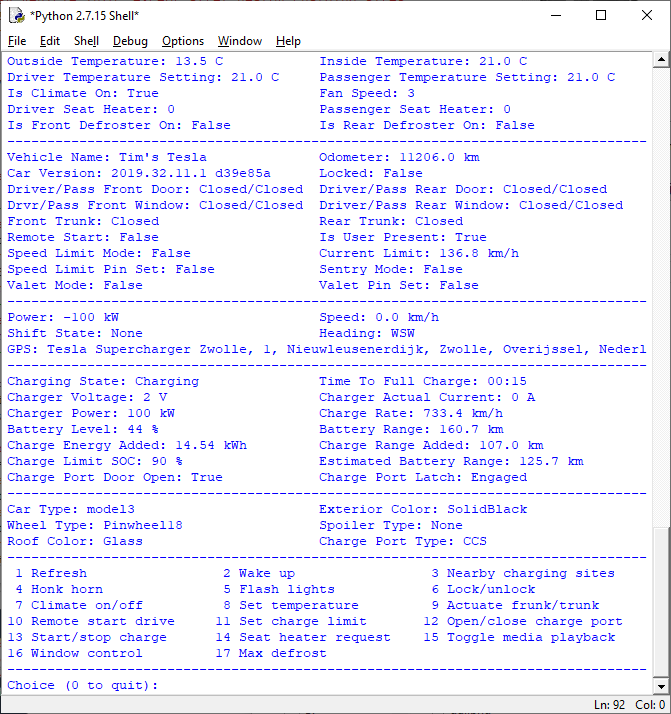
TeslaPy - A Python implementation based on unofficial documentation of the client side interface to the Tesla Motors Owner API

TeslaPy - A Python implementation based on unofficial documentation of the client side interface to the Tesla Motors Owner API, which provides functiona

Unofficial instagram API, give you access to ALL instagram features (like, follow, upload photo and video and etc)! Write on python.

Instagram-API-python Unofficial Instagram API to give you access to ALL Instagram features (like, follow, upload photo and video, etc)! Written in Pyt

An unofficial Python wrapper for the 'Binance exchange REST API'

Welcome to binex_f v0.1.0 many interfaces are heavily used by myself in product environment, the websocket is reliable (re)connected. Latest version:

Unofficial Coinbase Python Library

Unofficial Coinbase Python Library Python Library for the Coinbase API for use with three legged oAuth2 and classic API key usage Version 0.3.0 Requir

✖️ Unofficial API of 1337x.to

✖️ Unofficial Python API Wrapper of 1337x This is the unofficial API of 1337x. It supports all proxies of 1337x and almost all functions of 1337x. You

This is a simple unofficial async Api-wrapper for tio.run

Async-Tio This is a simple unofficial async Api-wrapper for tio.run

Unofficial API wrapper for seedr.cc

Seedr API Unofficial API wrapper for seedr.cc Inspired by theabbie's seedr-api Powered by @harp_tech (Telegram) How to use You can install lib via git

Easy Google Translate: Unofficial Google Translate API

easygoogletranslate Unofficial Google Translate API. This library does not need an api key or something else to use, it's free and simple. You can eit

Clash of Clans developer unofficial api Wrapper to generate ip based token

Clash of Clans developer unofficial api Wrapper to generate ip based token

Comments
  • Response token is empty. Repeated request for an authorization token

    Response token is empty. Repeated request for an authorization token

    Hi, how can I fix this exception? yoomoney.exceptions.EmptyToken: Response token is empty. Repeated request for an authorization token

    I have already another project where I did everything similar and token came. Now I need to change account so I authorize new application.

    opened by progerg 8
  • maximum recursion depth exceeded

    maximum recursion depth exceeded

    привет, такая проблема, когда запускаю твой код как в примере все работает, когда пытаюсь запихнуть тот же код в aiogram начинаются ошибки переполнения, не подскажешь как поправить? еще вот такие ошибки: RecursionError: maximum recursion depth exceeded ERROR:asyncio:Task exception was never retrieved

    opened by chkyratov 3
  • TypeError: string indices must be integers

    TypeError: string indices must be integers

    При запросе token = "xxx" client = Client(token) history = client.operation_history(label="ххххх") Получаю ошибку Traceback (most recent call last): File "/x/x/x/x.py", line 70, in ym_get history = client.operation_history() File "/usr/local/lib/python3.8/site-packages/yoomoney/client.py", line 44, in operation_history return History(base_url=self.base_url, File "/usr/local/lib/python3.8/site-packages/yoomoney/history/history.py", line 96, in __init__ for operation_data in data["operations"]: TypeError: string indices must be integers

    opened by VReunov 3
  • ('Connection aborted.', ConnectionResetError(104, 'Connection reset by peer'))

    ('Connection aborted.', ConnectionResetError(104, 'Connection reset by peer'))

    It throws an error when I try to check payments status. It was stable for 3-4 days, now it throws such an error.

    urllib3.exceptions.ProtocolError: ('Connection aborted.', ConnectionResetError(104, 'Connection reset by peer'))
    Sep 07 11:50:45 localhost python3.7[29515]: During handling of the above exception, another exception occurred:
    Sep 07 11:50:45 localhost python3.7[29515]: Traceback (most recent call last):
    Sep 07 11:50:45 localhost python3.7[29515]:   File "/usr/local/lib/python3.7/dist-packages/aiogram/dispatcher/dispatcher.py", line 409, in _process_polling_updates
    Sep 07 11:50:45 localhost python3.7[29515]:     for responses in itertools.chain.from_iterable(await self.process_updates(updates, fast)):
    Sep 07 11:50:45 localhost python3.7[29515]:   File "/usr/local/lib/python3.7/dist-packages/aiogram/dispatcher/dispatcher.py", line 238, in process_updates
    Sep 07 11:50:45 localhost python3.7[29515]:     return await asyncio.gather(*tasks)
    Sep 07 11:50:45 localhost python3.7[29515]:   File "/usr/local/lib/python3.7/dist-packages/aiogram/dispatcher/handler.py", line 116, in notify
    Sep 07 11:50:45 localhost python3.7[29515]:     response = await handler_obj.handler(*args, **partial_data)
    Sep 07 11:50:45 localhost python3.7[29515]:   File "/usr/local/lib/python3.7/dist-packages/aiogram/dispatcher/dispatcher.py", line 286, in process_update
    Sep 07 11:50:45 localhost python3.7[29515]:     return await self.callback_query_handlers.notify(update.callback_query)
    Sep 07 11:50:45 localhost python3.7[29515]:   File "/usr/local/lib/python3.7/dist-packages/aiogram/dispatcher/handler.py", line 116, in notify
    Sep 07 11:50:45 localhost python3.7[29515]:     response = await handler_obj.handler(*args, **partial_data)
    Sep 07 11:50:45 localhost python3.7[29515]:   File "/root/{}/handlers/general.py", line 199, in check_payment
    Sep 07 11:50:45 localhost python3.7[29515]:     if payment.is_paid():
    Sep 07 11:50:45 localhost python3.7[29515]:   File "/root/{}/models.py", line 91, in is_paid
    Sep 07 11:50:45 localhost python3.7[29515]:     if api.is_paid(self.label):
    Sep 07 11:50:45 localhost python3.7[29515]:   File "/root/{}/yandex_api.py", line 31, in is_paid
    Sep 07 11:50:45 localhost python3.7[29515]:     history = client.operation_history(label=label)
    Sep 07 11:50:45 localhost python3.7[29515]:   File "/usr/local/lib/python3.7/dist-packages/yoomoney/client.py", line 53, in operation_history
    Sep 07 11:50:45 localhost python3.7[29515]:     details=details,
    Sep 07 11:50:45 localhost python3.7[29515]:   File "/usr/local/lib/python3.7/dist-packages/yoomoney/history/history.py", line 72, in __init__
    Sep 07 11:50:45 localhost python3.7[29515]:     data = self._request()
    Sep 07 11:50:45 localhost python3.7[29515]:   File "/usr/local/lib/python3.7/dist-packages/yoomoney/history/history.py", line 177, in _request
    Sep 07 11:50:45 localhost python3.7[29515]:     response = requests.request("POST", url, headers=headers, data=payload)
    Sep 07 11:50:45 localhost python3.7[29515]:   File "/usr/local/lib/python3.7/dist-packages/requests/api.py", line 61, in request
    Sep 07 11:50:45 localhost python3.7[29515]:     return session.request(method=method, url=url, **kwargs)
    Sep 07 11:50:45 localhost python3.7[29515]:   File "/usr/local/lib/python3.7/dist-packages/requests/sessions.py", line 542, in request
    Sep 07 11:50:45 localhost python3.7[29515]:     resp = self.send(prep, **send_kwargs)
    Sep 07 11:50:45 localhost python3.7[29515]:   File "/usr/local/lib/python3.7/dist-packages/requests/sessions.py", line 655, in send
    Sep 07 11:50:45 localhost python3.7[29515]:     r = adapter.send(request, **kwargs)
    Sep 07 11:50:45 localhost python3.7[29515]:   File "/usr/local/lib/python3.7/dist-packages/requests/adapters.py", line 498, in send
    Sep 07 11:50:45 localhost python3.7[29515]:     raise ConnectionError(err, request=request)
    Sep 07 11:50:45 localhost python3.7[29515]: requests.exceptions.ConnectionError: ('Connection aborted.', ConnectionResetError(104, 'Connection reset by peer'))
    
    
    opened by bekha-io 1
Releases(v0.1.0)
Owner
Aleksey Korshuk
Telegram: https://t.me/goodimpression
Aleksey Korshuk
AminoAutoRegFxck/AutoReg For AminoApps.com

AminoAutoRegFxck AminoAutoRegFxck/AutoReg For AminoApps.com Termux apt update -y apt upgrade -y pkg install python git clone https://github.com/deluvs

3 Jan 18, 2022
GG Dorking is a tool to generate GitHub and Google dorking for pentesters and bug bounty hunters.

GG-Dorking GG Dorking is a python tool to generate GitHub and Google dorking links for pentesters and bug bounty hunters. It will help you to find imp

Eslam Akl 80 Nov 24, 2022
GitHub action to deploy serverless functions to YandexCloud

YandexCloud serverless function deploy action Deploy new serverless function version (including function creation if it does not exist). Inputs yc_acc

Много Лосося 4 Apr 10, 2022
pokemon-colorscripts compatible for mac

Pokemon colorscripts some scripts to print out images of pokemons to terminal. Inspired by DT's colorscripts compilation Description Prints out colore

43 Jan 06, 2023
Graviti-python-sdk - Graviti Data Platform Python SDK

Graviti Python SDK Graviti Python SDK is a python library to access Graviti Data

Graviti 13 Dec 15, 2022
A file-based quote bot written in Python

Let's Write a Python Quote Bot! This repository will get you started with building a quote bot in Python. It's meant to be used along with the Learnin

Jyoti prakash Rout 1 Jan 08, 2022
VaccineAlarm is a simple python script that allows user to get notified when their desired vaccine doses are available at vaccine centers near them.

Introduction VaccineAlarm is a simple python script that allows user to get notified when their desired vaccine doses are available at vaccine centers

Ankit Tripathi 5 Nov 26, 2021
Ark API Wrapper in Python

Pythark Ark API Wrapper in Python. Built with Python Requests Installation Pythark uses Arky to create a new transaction, if you want to use this feat

Jolan 14 Mar 11, 2021
Repository containing the project files for CEN4020's Team Utah.

inCollege-Team-Utah Repository containing the project files for CEN4020's Team Utah. Contributors: Deepak Putta Jose Ramirez Fuentes Jaason Raudales C

Keylin Sanchez 3 Jul 12, 2022
A Telegram Bot Written In Python

TelegraphUploader A Telegram Bot Written In Python DEPLOY Local Machine Clone the repository Install requirements: pip3 install -r requirements.txt e

Wahyusaputra 2 Dec 29, 2021
A (probably) working Kik name checker

KikNameChecker !THIS ONLY CHECKS WS2.KIK.COM ENDPOINT! \ Will add user inputted endpoints thing \ A (probably) working Kik name checker Started as a s

insert edgy and cool name 1 Dec 17, 2022
This is a tutorial on how to make a Discord Bot using the discord.py library

HowToMakeADiscordBot This Github repository is here to help you code a Discord Bot using the discord.py library! 1 - Setup: Download the code inside t

Baz 1 Oct 31, 2021
BSDotPy, A module to get a bombsquad player's account data.

BSDotPy BSDotPy, A module to get a bombsquad player's account data from bombsquad's servers. Badges Provided By: shields.io Acknowledgements Issues Pu

Rudransh Joshi 3 Feb 17, 2022
BLYRIC is a Twitter bot that tweets a song lyric every night.

BLYRIC BLYRIC, a bot that tweets a song lyric every night. Follow on Twitter: @blyric_ Overview BLYRIC is a Twitter bot that tweets a song quote every

Bruno Kenzo Hyodo 6 Oct 05, 2022
摩尔庄园手游脚本

摩尔庄园 BlueStacks 脚本 手游上线,情怀再起,但面对游戏中枯燥无味的每日任务和资源采集,你是否觉得肝疼呢? 本项目通过生成 BlueStacks 模拟器的宏脚本,帮助玩家护肝。 使用脚本请阅读 使用方式 和对应的 功能及说明 联系 Telegram 频道 @mole61 Telegram

WH-2099 43 Dec 16, 2022
scrapes medias, likes, followers, tags and all metadata. Inspired by instagram-php-scraper,bot

instagram_scraper This is a minimalistic Instagram scraper written in Python. It can fetch media, accounts, videos, comments etc. `Comment` and `Like`

sirjoe 2.5k Nov 16, 2022
Images to PDF Telegram Bot

ilovepdf Convert Images to PDF Bot This bot will helps you to create pdf's from your images [without leaving telegram] 😉 By Default: your pdf fil

✰Naͥbiͣlͫ A Navab✰ 116 Dec 29, 2022
Surfline Forecast Bot For Python

Surfline Forecast Bot A telegram bot created using Telethon that allows users to

1 May 08, 2022
Hostapd-mac-monitor - Setup a hostapd AP to conntrol the connections of specific MACs

A brief explanation This script provides way to setup a monitoring service of sp

2 Feb 03, 2022
Primeira etapa do processo seletivo para a bolsa de migração de conteúdo de Design de Software.

- Este processo já foi concluído. Obrigado pelo seu interesse! Processo Seletivo para a bolsa de migração de conteúdo de Design de Software Primeirame

Toshi Kurauchi 1 Feb 21, 2022