A very simple calculator with a modern UI made in Python thanks for the stunning Sun-Valley-ttk-theme and Segoe UI Variable font.

Overview

Fluent-Python-Calculator

A simple Python calculator with Sun-Valley-ttk-theme image
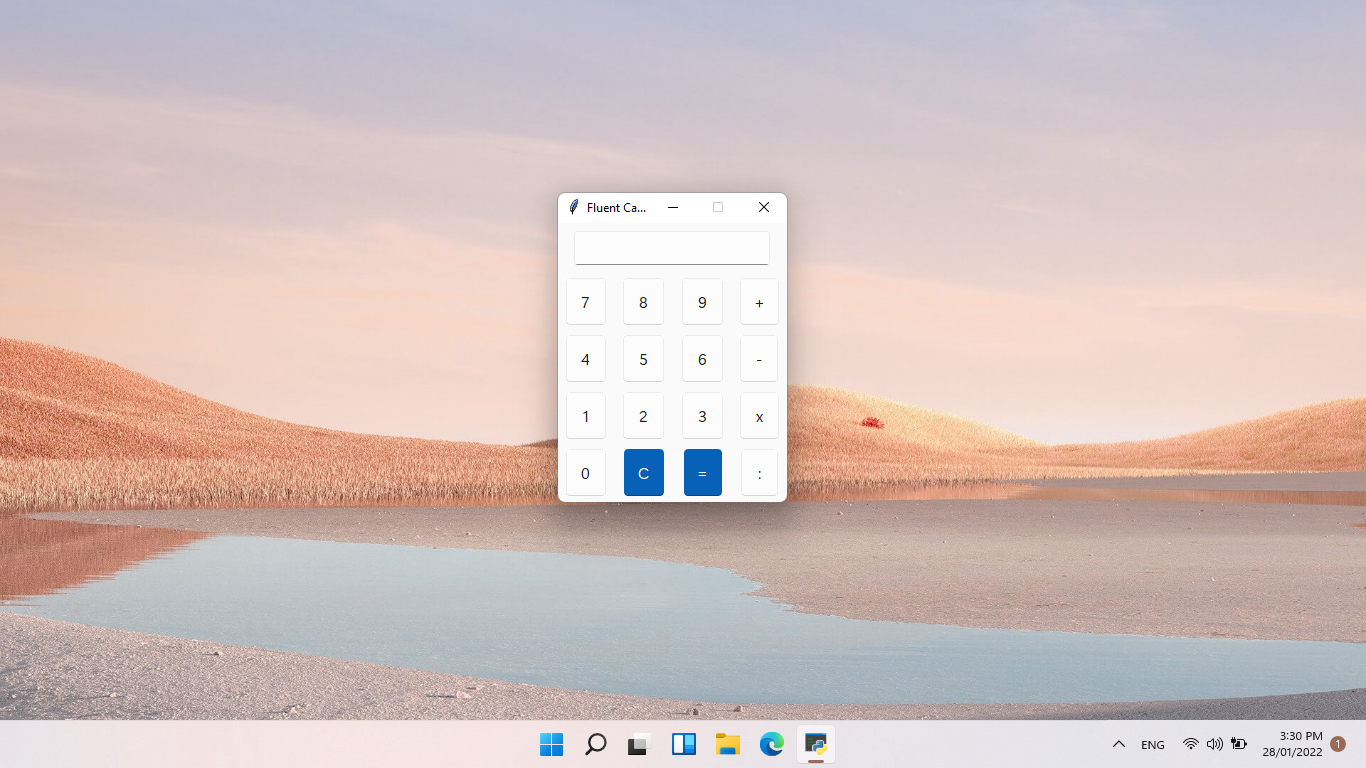
About Fluent-Python-Calculator:

A very simple calculator with a modern UI made in Python thanks for the stunning Sun-Valley-ttk-theme and Segoe UI Variable font. This is my first project ever in my life so feel free to open an issue or pull requests to help me finish the project!

Use the calculator

  • Make sure you have a code editor (VS code, Notepad ++,..) and Python installed.
  • Download the file in release
  • You can double click to run the program or open with a code editor to edit it

Dark/Light mode images

Light mode: image
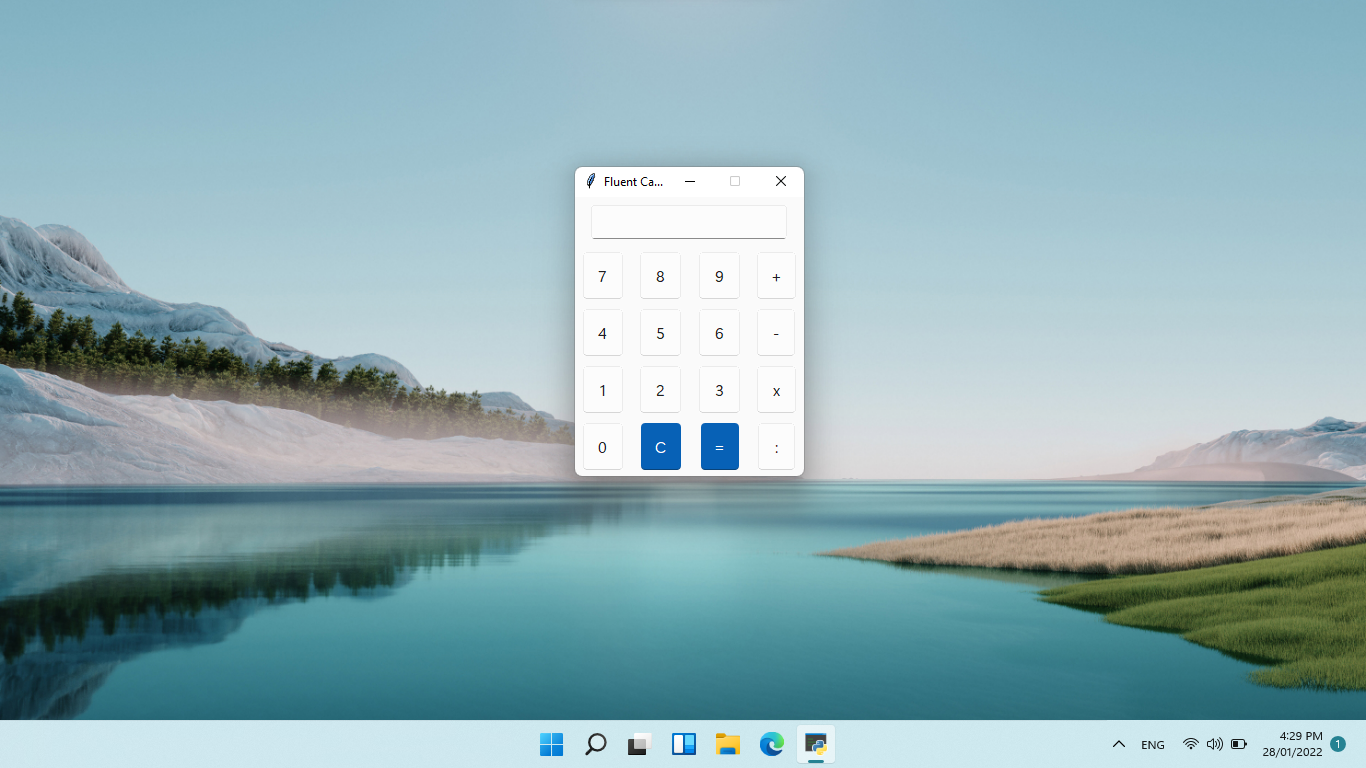
Dark mode: image

Future development

  • Improve button size
  • Add 'error' message into the app
  • Improve UI
  • Add proper changing dark/light mode
  • Change to exe? (maybe)
Comments
  • Make titlebar dark

    Make titlebar dark

    In the latest release notes you said that you look for a way to make the Titlebar change color. I dont know a direct solution, but when using the BlurWindow Module (python -m pip install BlurWindow) with Dark = True, the titlebar changes its color to dark. And the window also gets blurred, which looks great on modern apps! I would make a pull request, but i cant get to my PC at the moment.

    EDIT: i dont know if this solution also works for the menu bar. You need to check.

    ✨ feature 
    opened by not-nef 41
  • App's UI is not working perfectly

    App's UI is not working perfectly

    I downloaded the v5 (Beta) version and ran it on my Windows 10 laptop and here's how it looks:

    Fluent Calculator 2_19_2022 7_44_59 PM Fluent Calculator 2_19_2022 7_45_10 PM Fluent Calculator 2_19_2022 7_45_16 PM

    The first photo's background is white only, however on taking screenshot, it shows black. The second photo is of dark mode. The third photo is after disabling dark mode, in which also the background is white but in screenshot it is black. I am running Windows 10 Version 21H1.

    📣 bug ✨ feature 
    opened by RivanParmar 27
  • Buttons need to click multiple times before they can be insert into the content

    Buttons need to click multiple times before they can be insert into the content

    More info: Only happens in light mode because the 'pressed' state in light mode is a bit transparent, but the windows was also transparent for the mica effects so it needs to click multiple times before they can be insert into the content. This does not happen in dark mode, because the 'pressed' state in dark mode is not transparent. This was not happens before switching to the sv_ttk because I modified the 'pressed' state. Not sure if you guys facing the same issue, if yes, I will ask rdbende to modify the button to not transparent

    https://user-images.githubusercontent.com/86362423/164738773-eeb3e5c1-9327-49ff-83a6-482e21669943.mp4

    📣 bug 
    opened by HuyHung1408 23
  • Zero division easter egg

    Zero division easter egg

    This is just a little idea i had: We could add a small easter egg: the application will not say error after a few times of trying, but things like: "Stop dividing by zero!", "Seriously, stop", "STOP IT!!!!!!". And things like that. I thought this will be a cool little secret.

    ✨ feature 
    opened by not-nef 18
  • Better way of using Mica with tkinter

    Better way of using Mica with tkinter

    Hey, I found a way of using mica with tkinter without a third party app

    You need to use these two pieces of code

    https://gist.github.com/Olikonsti/879edbf69b801d8519bf25e804cec0aa the first one enables the windows immersive dark mode with a dark title bar

    https://gist.github.com/Olikonsti/8cbcba376c92831a27bc92ce0bb4dbc7 this code blurs the window

    you first run dark_title_bar(window) on your window and then enable_blur(window)

    this needs to happen after changing window.resizable()

    I am currently building a library with the sun valley ttk theme, the tkinter blur and extra widgets like scrollframes and entry boxes with ghost text: https://github.com/Olikonsti/MTK

    ✨ feature 
    opened by Olikonsti 10
  • No option to backspace

    No option to backspace

    There is no option to backspace. You can't remove single digits in the entry widget. There is option to only clear the widget and you have to type everything back again.

    Possible solution:

    • Add another button for backspace. OR
    • Make it such that on clicking the "C" button once, removes a single digit from the entry widget and on long press, clears the entire widget.
    ✨ feature 
    opened by RivanParmar 9
  • Move calculations to a different .py file

    Move calculations to a different .py file

    What do you think about that @HuyHung1408 ? I would like to move the calculation part of the program to a different .py file, as it is about to get larger. Only an idea tho, i just want to make the code look good. No problem if you dont want it.

    opened by not-nef 5
  • Modified entry widget to interact properly with keyboard

    Modified entry widget to interact properly with keyboard

    I have modified the Entry widget to be set to focus throughout the program right from the start. This is because the user won't have to click on the widget to write in it from the physical keyboard. The user will only be able to input numbers and operators to the Entry widget from the physical keyboard. The operators include: "+", "-", "*" and "/". You can add more in the checkIfNumberOrOperator function.

    opened by RivanParmar 5
  • Revert my last pr

    Revert my last pr

    Ok, so, i investigated in this topic a little bit further (I think you say it like that) and found out, that the buttons actually dont change position when dark mode is enabled. The contrast between the border color of the white buttons and the white background is just so low, that they appear 1px smaller than they actually are, which is the reason that the dark buttons look like they are closer to each other. I will attach a video that shows this. Sorry for the inconvenience.

    https://user-images.githubusercontent.com/83908932/163678536-d5cc54dc-d935-4850-9319-ade9ee2a0c15.mp4

    opened by not-nef 3
  • Cannot import sv_ttk

    Cannot import sv_ttk

    This isn't exactly an issue but, on opening the source code files in VSCode, it shows error on 'import sv_ttk'. The error is ModuleNotFoundError: No module named 'sv_ttk'. I have also downloaded this repository: https://github.com/rdbende/Sun-Valley-ttk-theme, however it isn't working. Moreover I could not find any other library named sv_ttk. I have the BlurWindow module and there's no error in importing it. So, could you please describe the steps to setup sv-ttk in VSCode project?

    opened by RivanParmar 3
Releases(v2.0)
  • v2.0(May 29, 2022)

    This is version 2.0 of FluxCalc! We are so excited to bring you the new UI redesign and all the other new Features!

    New Features

    • Big UI redesign by @HuyHung1408
    • Proper Bracket multiplication by @not-nef
    • Added Always on top feature so you can easily pin it on top, and use it anytime.
    • Fluent Python Calculator finally has a proper, a better name, FluxCalc, hope that we can bring you the best experience while enjoying our apps!

    Full Changelog: https://github.com/Futura-Py/FluxCalc/compare/v1.0...v2.0

    Source code(tar.gz)
    Source code(zip)
    FluxCalc-setup.exe(8.57 MB)
  • v1.0(Mar 7, 2022)

    The first version of Fluent Python Calculator! First, I want to thank all of you for helping me finish this project. I couldn't finish it without the help of y'all

    • Improved entry width!
    • Add Mica* (thanks for @sumeshir26 and @Olikonsti)
    • Fixed AccentButton (thanks for @RivanParmar)
    • Add backspace button
    • Fluent Calculator now follow your system dark/light mode
    • Fixed "+" button bigger than usual.
    • Fluent Calculator is now installed as an app!
    • App will launch faster!

    Light mode | Dark mode :-------------------------:|:-------------------------: image | image

    *No Mica for Windows 10

    Source code(tar.gz)
    Source code(zip)
    FluentCalculatorInstaller.exe(8.55 MB)
  • v0.5(Feb 11, 2022)

    Big update!

    • #6 Proper division button (thanks for @sumeshir26)
    • Acrylic, dark title when dark mode on (thanks for @sumeshir26, @not-nef, and @im-coder-lg)
    • New functions!
    • Change from menu bar to button to change dark/light mode. Trying to use the Json config file again since it was deleted (because I changed from menu bar to button)

    Known issues:

    • The title bar was still dark even when it was changed into light mode.
    • Acrylic sometimes broken!

    Light mode | Dark mode :-------------------------:|:-------------------------: image | image

    Source code(tar.gz)
    Source code(zip)
    Fluent.Calculator.zip(9.39 MB)
  • v0.4(Jan 31, 2022)

  • v0.3(Jan 29, 2022)

    New update!

    • Light/dark mode changing through a menu bar button thanks for @TimothyMalahy
    • Looking for a way make menu bar changing color, not sure if it's possible (because change to dark mode make the title bar looks bad)

    Light mode | Dark mode :-------------------------:|:-------------------------: image | image

    Source code(tar.gz)
    Source code(zip)
    Fluent.Calculator.zip(9.35 MB)
  • v0.2.3(Jan 29, 2022)

    New update for sure!

    ⚠️ Currently since antivirus marked it as a virus because I converted it into .exe using pyinstaller, if you still think it is a virus, check the python file.

    • Converted file to .exe, wow!
    • All should work correctly, IMPORTANT read README.md for more information about some notes for the .exe file!
    • New app icon ✨
    • Due to python limitations, don't delete .ico, .tcl and theme folder Note: Nothing changed about the design, so I will not attach it here, if you want the python file, check here (v0.2)

    image

    Source code(tar.gz)
    Source code(zip)
    Fluent.Calculator.zip(9.35 MB)
  • v0.2(Jan 28, 2022)

  • v0.1(Jan 28, 2022)

    First release!

    • All of the buttons should work
    • Some buttons have different sizes although they have the same size in the code, will fix it in the next version!
    Source code(tar.gz)
    Source code(zip)
Signin/Signup GUI form using tkinter in python

SignIn-SignUpFormRepo Hello there, I am Shahid and this is the Signin/Signup GUI form using tkinter in python if you want to use avatar images then pa

Shahid Akhtar 1 Nov 09, 2021
Pyint is the graphic software which is written in Python

Pyint About Pyint Pyint is the graphic software which is written in Python(I use the Turtle graphics). The name 'Pyint' is compound word of 'Python' a

John 1 Nov 06, 2021
Bank-Project - A bank ATM simulator recreated in python

Bank-Project A bank ATM simulator recreated in python. NOTE: this repo is a translation of Rasphy2009/Proyecto-Banco Requirements (.py only) 🐍 Python

Rasphy 2 Jan 02, 2022
Dear PyGui: A fast and powerful Graphical User Interface Toolkit for Python with minimal dependencies

(This library is available under a free and permissive license however, if you Enjoy Dear PyGui please consider becoming a Sponsor) Dear PyGui is a si

Jonathan Hoffstadt 9.4k Jan 07, 2023
Neukivy is a collection of neumorphic widgets built with Kivy.

Neukivy is a collection of neumorphic widgets built with Kivy. The library is currently in its initial development so there isn't much yet. But hopefully it will grow into a library you can use to ea

Guhan Sensam 29 Dec 13, 2022
Rich.tui is a TUI (Text User Interface) framework for Python using Rich as a renderer.

rich.tui Rich.tui is a TUI (Text User Interface) framework for Python using Rich as a renderer. The end goal is to be able to rapidly create rich term

Will McGugan 17.1k Jan 04, 2023
AppQuickLauncher is a tool that can quickly launch apps by clicking the app tray icon.

AppQuickLauncher AppQuickLauncher is a tool that can quickly launch apps by clicking the app tray icon. On Windows 7 or Windows 10, we can add a folde

yin kaisheng 2 Sep 11, 2022
Py address book gui - An address book with graphical user interface developed with Python Tkinter

py_address_book_gui An address book with graphical user interface developed with

Milton 4 Feb 01, 2022
A Python native, OS native GUI toolkit.

Toga A Python native, OS native GUI toolkit. Prerequisites Minimum requirements Toga requires Python 3. Python 2 is not supported. If you're on macOS,

BeeWare 3.3k Dec 31, 2022
The Python-Weather-App is a service that provides weather data

The Python-Weather-App is a service that provides weather data, including current weather data to the developers of web services and mobile applications.

Sayed Tabish 1 Dec 13, 2021
TextTUI is a set of extensions to the Textual and Textual-Inputs libraries

TextTUI is a set of extensions to the Textual and Textual-Inputs libraries. Currently a Work in Progress that is based on the 0.1.14 branch of

3 Feb 10, 2022
A GUI calculator made with tkinter module in python

GUI-Calculator A GUI calculator made with tkinter module in python How to setup the calculator If pygame is not installed, go to terminal and do pip i

Eric Jing 0 Aug 25, 2021
Tkinter Designer - Create Beautiful Tkinter GUIs by Drag and Drop.

Tkinter Designer is created to speed up and beautify Python GUI Experience. It uses well know design software called Figma. Which makes creating Tkinter GUI in Python a piece of cake.

Parth Jadhav 5.2k Jan 09, 2023
The quick and easy way to add versatile graphical interfaces with networking capabilities to your Python programs.

The quick and easy way to add versatile graphical interfaces with networking capabilities to your Python programs. Give instant access to your application to whoever you want on the Internet, without

Claude SIMON 215 Dec 28, 2022
Yasb is a highly configurable and hackable taskbar written in python with Qt6.

Yasb: Yet Another Status Bar Yasb is a highly configurable and hackable taskbar written in python with Qt6. This project is still in (very) early deve

Dan 355 Jan 01, 2023
Tkinter calculetor - Tkinter calculetor with python

Tkinter_calculetor required to run py file pip install tkinter

Yasir Arafat 0 Feb 07, 2022
A graphical user interface calendar with python

GUI-Calendar A graphical user interface calendar with python In this project I used tkinter module If you dont have tkinter module you can install it

Arone Sadegh 1 Dec 18, 2021
A Python based Connect 4 game made with DearPyGUI

Ultimate-Connect-4 A Python based Connect 4 game made with DearPyGUI NOTICE: If you connect to the game server hosted by Jah-On and attempt to send ma

4 Jun 01, 2022
Projeto de mini-games de azar com interface gráfica utilizando Python e PySimpleGui.

Gambling Mini jogos de azar unidos em uma mesma interface gráfica, utilizando a linguagem de programação Python em conjunto com a biblioteca de interf

Clayton Garcia da Silva 3 Nov 19, 2021
This is the new and improved Plex Automatic Pre-roll script with a GUI

Rollarr This is the new and improved Automatic Pre-roll script with a GUI for Plex now called Rollarr! It should be stable but if you find a bug pleas

164 Nov 04, 2022