CLI program that allows you to change your Alacritty config with one command without editing the config file.

Overview

Pycritty

Change your alacritty config on the fly!
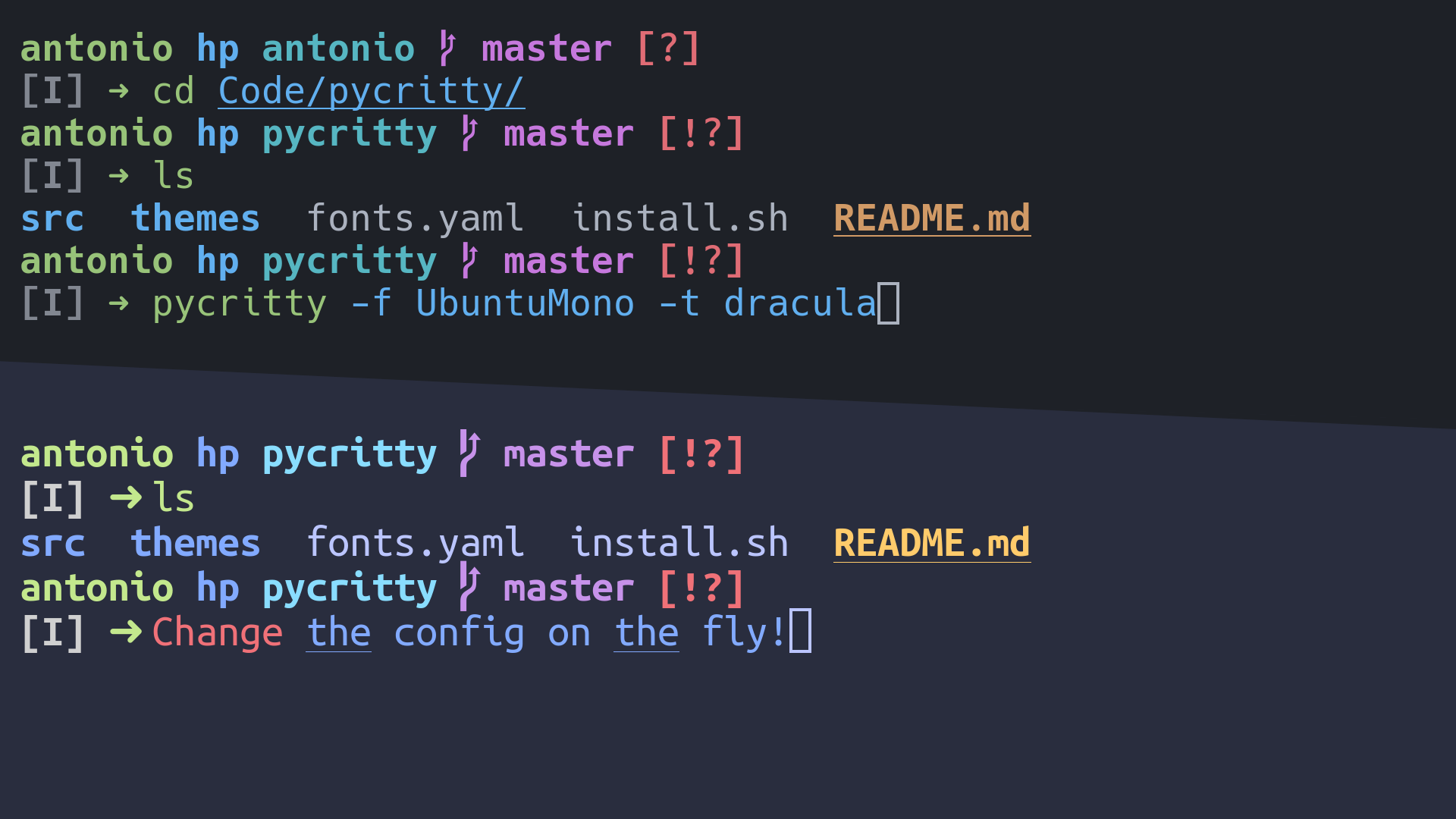
Preview Image

Installation:

pip install pycritty

By default, only the program itself will be installed, but you can install default themes from config/themes:

pip install --install-option="--themes=onedark,dracula,nord" pycritty

Or if you want them all:

pip install --install-option="--themes=all" pycritty

Make sure to have ~/.local/bin directory in your $PATH, otherwise your shell won't find the pycritty command. Add this line to your ~/.xprofile if you haven't already:

export PATH=$HOME/.local/bin:$PATH

Usage:

Change your current config:

pycritty --font UbuntuMono --size 14 --opacity 0.95

Save multiple configs and reuse them later:

pycritty save ThisConfig
pycritty load AnotherConfig

Install themes and configs from URLs:

pycritty install -t https://raw.githubusercontent.com/antoniosarosi/pycritty/master/config/themes/breeze.yaml
pycritty -t breeze
pycritty install -c -n SomeCoolConfig https://raw.githubusercontent.com/antoniosarosi/dotfiles/master/.config/alacritty/config.yaml
pycritty load SomeCoolConfig

Check help for all available options:

pycritty -h
# pycritty subcomand -h
pycritty save -h

Fonts Config

Fonts are configured in ~/.config/alacritty/fonts.yaml with this format:

fonts:
    Alias: Font Name

When applied using pycritty -f Alias, the previous format will be converted into the alacritty equivalent:

font:
    normal:
        family: Font Name
    italic:
        family: Font Name
    bold:
        family: Font Name

You can also specify a different font for each font type:

fonts:
    Alias:
        normal: Normal Font Name
        bold: Bold Font Name
        italic: Italic Font Name

Note that the fonts must be installed on your system.

Theme Config

You can make your own custom themes by creating new theme files with the correct format, ~/.config/alacritty/themes/custom.yaml should look like this:

colors:
    # Default colors
    primary:
        background: '0x292d3e'
        foreground: '0xbbc5ff'
    # Normal colors
    normal:
        black:   '0x101010'
        red:     '0xf07178'
        green:   '0xc3e88d'
        yellow:  '0xffcb6b'
        blue:    '0x82aaff'
        magenta: '0xc792ea'
        cyan:    '0x89ddff'
        white:   '0xd0d0d0'
    # Bright colors
    bright:
        black:   '0x434758'
        red:     '0xff8b92'
        green:   '0xddffa7'
        yellow:  '0xffe585'
        blue:    '0x9cc4ff'
        magenta: '0xe1acff'
        cyan:    '0xa3f7ff'
        white:   '0xffffff'

Then you can apply it using the name of the file:

pycritty -t custom

Custom scripts

If you want to apply different configs programmatically, you can either use the CLI in a shell script or use pycritty as a python module:

#!/bin/python3

# Dummy script that changes the theme every 5 minutes

from time import sleep
from pycritty.commands import Pycritty, ListResource


def main():
    ls = ListResource()
    conf = Pycritty()
    while True:
        for theme in ls.list_themes():
            conf.change_theme(theme)  # or conf.set(theme=theme)
            conf.apply()
            sleep(300)


if __name__ == '__main__':
    main()

Shell equivalent:

#!/bin/bash

while :; do
    # Same as pycritty ls --themes --iterable
    for theme in $(pycritty ls -ti); do
        pycritty -t $theme
        sleep 300
    done
done
You might also like...
Spotify Offline is a command line tool that allows one to download Spotify playlists in MP3 format.

Spotify Offline v0.0.2 listen to your favorite spotify songs, offline Overview Spotify Offline (spotifyoffline) is a command line tool that allows one

This is a CLI program which can help you generate your own QR Code.

Python-QR-code-generator This is a CLI program which can help you generate your own QR Code. Single.py This will allow you only to input a single mess

Command line tool to automate transforming the effects of one color profile to another, possibly more standard one.

Finished rendering the frames of that animation, and now the colors look washed out and ugly? This terminal program will solve exactly that.

Limit your docker image size with a simple CLI command. Perfect to be used inside your CI process.

docker-image-size-limit Limit your docker image size with a simple CLI command. Perfect to be used inside your CI process. Read the announcing post. I

Zero-config CLI for TypeScript package development

Despite all the recent hype, setting up a new TypeScript (x React) library can be tough. Between Rollup, Jest, tsconfig, Yarn resolutions, ESLint, and

Program Command Line Interface (CLI) Sederhana: Pemesanan Nasi Goreng Hekel

Program ini merupakan aplikasi yang berjalan di dalam command line (terminal). Program ini menggunakan built-in library python yaitu argparse yang dapat menerima parameter saat program ini dijalankan melalui terminal atau CLI.

A simple automation script that logs into your kra account and files your taxes with one command

EASY_TAX A simple automation script that logs into your kra account and files your taxes with one command Currently works for Chrome users. Will creat

inklayers is a command line program that exports layers from an SVG file.

inklayers is a command line program that exports layers from an SVG file. It can be used to create slide shows by editing a single SVG file.

A command-line tool to upload local files and pastebin pastes to your mega account, without signing in anywhere

A command-line tool to upload local files and pastebin pastes to your mega account, without signing in anywhere

Comments
  • I'm not able to run pycritty, relative imports error and not set pycritty as env variable

    I'm not able to run pycritty, relative imports error and not set pycritty as env variable

    First of all, when I run the command for install everything (pip install --install-option="--themes=all" pycritty) I have no errors but pycritty is not defined as an env variable. I go to the installation path in my case .local/lib/python3.9/site-packages/pycritty and try to run it as a normal python program (python main.py --font UbuntuMono --size 14 --opacity 0.95) And this is the error that shows me, it's like can't do relative imports: Screenshot_17

    I tried to add Pycritty Error on main class for removing the import, but shows the same error with other relative import.

    Any idea about why this is not working well?

    OS: Garuda (based on Arch) Desktop: Qtile

    opened by JarssS8 4
  • [PATCH] Add integration pipeline

    [PATCH] Add integration pipeline

    Add integration pipeline for pull request, this pipeline will run mypy, flake8 and unit tests. I also fixed some files to make the pipeline succeed. Pipeline tested in fork: Screenshot_2022-03-03_00-19-38

    opened by niconunez96 0
  • [PATCH] Add unit testing proposal

    [PATCH] Add unit testing proposal

    Adding a starting test suite only for Cli class and ls functions The idea is to have a test suite that will be triggered on an integration pipeline on every pull request along with mypy checks.

    opened by niconunez96 0
  • Changed deprecated option background_opacity to window.opacity

    Changed deprecated option background_opacity to window.opacity

    In Alacritty Version 0.10.0, the option "background_opacity" in the "alacritty.yml" customization config file is deprecated. This commit fixes the warning raised by this update and updates it to the recommended.

    opened by T1erno 0
Releases(v0.4.0)
Owner
Antonio Sarosi
Average Hacker
Antonio Sarosi
Animefetch is an anime command-line system information tool written in python

Animefetch - v0.0.3 An anime command-line system information tool written in python. Description Animefetch is an anime command-line system informatio

Thadeuks 6 Jun 17, 2022
This is my fetch, with ascii arts from neofetch and internet

deadfetch This is my fetch, with ascii arts from neofetch and internet Installation First what you need its python Fedora sudo dnf install python3 sud

DedSec 8 Jan 20, 2022
instant coding answers via the command line

howdoi instant coding answers via the command line Sherlock, your neighborhood command-line sloth sleuth. Are you a hack programmer? Do you find yours

Benjamin Gleitzman 9.8k Jan 08, 2023
Dead simple CLI tool to try Python packages - It's never been easier! :package:

try - It's never been easier to try Python packages try is an easy-to-use cli tool to try out Python packages. Features Install specific package versi

Timo Furrer 659 Dec 28, 2022
A web shell client written in python.

Webshell client A webshell client written in python. Only works well for linux for the time being. Why? Because there are too many heavy webshells. So

tchar 1 Dec 07, 2021
A simple command line chat app to communicate via the terminal.

A simple command line chat app to communicate via the terminal. I'm new to networking so sorry if some of my terminology or code is messed up.

PotNoodle 1 Oct 26, 2021
CLI client for FerrisChat

A CLI Client for @FerrisChat using FerrisWheel

FerrisChat 2 Apr 01, 2022
A command line tool that creates a super timeline from SentinelOne's Deep Visibility data

S1SuperTimeline A command line tool that creates a super timeline from SentinelOne's Deep Visibility data What does it do? The script accepts a S1QL q

Juan Ortega 2 Feb 08, 2022
🌈 Beautify your command line interfaces.

Basics Install: pip install iridi Usage: import iridi # Create gradient text # iridi.print(message, colors, options) # Ask for input with gradient

Conrad Crawford 39 Oct 20, 2022
Low-Cost Open Source Ventilator or PAPR

Last updated 2020/04/19 Low-Cost Open-Source Ventilator-ish Device or PAPR NOTE: This is currently an independent project not affiliated with any comm

Johnny Lee 1.7k Dec 21, 2022
Python library & console tool for controlling Xiaomi smart appliances

python-miio This library (and its accompanying cli tool) can be used to interface with devices using Xiaomi's miIO and MIoT protocols. Getting started

Teemu R. 2.4k Jan 02, 2023
Simple Digital Ocean CLI by python.

Simple Digital Ocean CLI by python.

Chiro 2 Jan 01, 2023
Tncli - TON smart contract command line interface

Tncli TON smart contract command line interface State Not working, in active dev

Disintar IO 100 Dec 18, 2022
This a simple tool to query the awesome ippsec.rocks website from your terminal

ippsec-cli This a simple tool to query the awesome ippsec.rocks website from your terminal Installation and usage cd /opt git clone https://github.com

stark0de 5 Nov 26, 2022
git-partial-submodule is a command-line script for setting up and working with submodules while enabling them to use git's partial clone and sparse checkout features.

Partial Submodules for Git git-partial-submodule is a command-line script for setting up and working with submodules while enabling them to use git's

Nathan Reed 15 Sep 22, 2022
Enlighten Progress Bar is a console progress bar library for Python.

Overview Enlighten Progress Bar is a console progress bar library for Python. The main advantage of Enlighten is it allows writing to stdout and stder

Rockhopper Technologies 265 Dec 28, 2022
Analyzing the most strategic words to guess on Wordle, based on letter frequency distributions

wordle-analysis Evaluating different heuristics to determine the most effective solving strategy and building an AI-powered assistant tool to help you

Sejal Dua 9 Feb 27, 2022
Pynavt is a cli tool to create clean architecture app for you including Fastapi, bcrypt and jwt.

Pynavt _____ _ | __ \ | | | |__) | _ _ __ __ ___ _| |_ | ___/ | | | '_ \ / _` \ \ / /

Alejandro Castillo 1 Dec 13, 2021
âš™ A lightweight command line interface library for creating commands.

âš™ A lightweight command line interface library for creating cli commands. About | Installation | Usage | Features | Contributors | License About Next:

Serum 16 Sep 25, 2022
bsp_tool provides a Command Line Interface for analysing .bsp files

bsp_tool Python library for analysing .bsp files bsp_tool provides a Command Line Interface for analysing .bsp files Current development is focused on

Jared Ketterer 64 Dec 28, 2022