Mutt dotfiles
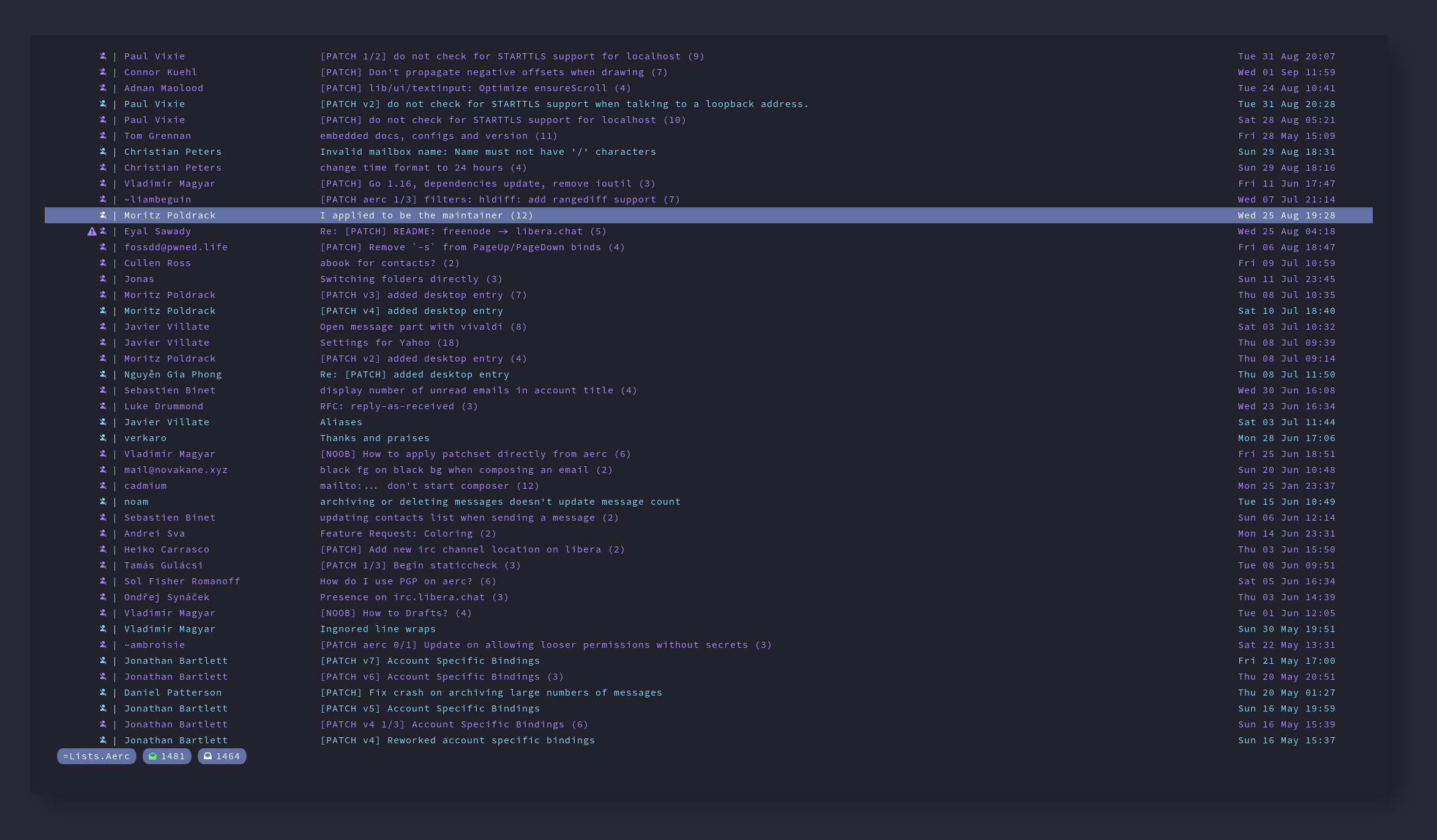

Robust Mutt configs with examples for the following account types:
- Generic IMAP/SMTP
- Google (Gmail/Gsuite etc) via IMAP/SMTP
- Microsoft Office365 via IMAP/SMTP
- Microsoft Office365 using DavMail (useful if app passwords or direct IMAP/SMTP access are disabled)
Some Features
- Query and save contacts via abook, goobook or LDAP (for Office365, query only)
- Good calendar invite handling: render calendar invites inline and respond to them with
Awhen viewing the calendar invite attachment - Nice handling of inline text/html rendering (use
C-lto open up all links the email - great for quickly finding unsubscribe links) - Secure configs (no hardcoded passwords etc)
- Global search via NotMuch (C-f)
- Everything looks really nice :)
- Includes all peripheral configs for isync, msmtp, notmuch etc
Dependencies
- NeoMutt (latest version, all compile options enabled)
- glow (nicer plain text email rendering)
- Lynx (render HTML emails, W3m works well too)
- Notmuch (for email search)
- Isync (for syncing emails via IMAP)
- MSMTP (for sending emails via SMTP)
- Perl (for rendering calendar invites - you might need to install some perl deps via CPAN, can't remember)
- python-vobject (for interacting with calendar invites)
- python-icalendar (for interacting with calendar invites)
- python-pytz (for interacting with calendar invites)
- python-tzlocal (for interacting with calendar invites)
- DavMail (if you want to use Office365/Outlook mail and the company locks down IMAP access)
- openldap (for using ldapsearch if you want to look up contacts on office365 etc - required DavMail)
- abook (basic contact management)
- goobook (if you want to use google contacts instead)
- gcalcli (if you want to import events into a google calendar)
Contents
./neomutt.desktop- a desktop file for opening mutt via the GUI inside the Kitty terminal. Stick it in /usr/share/applicationsbin/import_calendar_invite- imports a calendar invite into google calendar with gcalcli and then calls mutt-ical to respond to the invitebin/ldap_owa_query- allows contact searching via LDAP (used for coroprate office365/outlook accounts)bin/mailsync- a great script that syncs your mail, originally written by Luke Smithbin/mutt-ical- used to respond to email calendar invitesbin/mutt-vcalendar-filter- used to render email calendar invites in Muttbin/mutt-viewical- used to render email calendar invites in Mutt.config/isync/mbsyncrc- configuration file for isync (used to sync your emails). There are examples of many different account types to use as a starting point.config/msmtp/config- configuration file for msmtp (used to send emails). There are examples of many different account types to use as a starting point.config/mutt/accounts/*- individual config files for each email account you wish to use in Mutt. There are examples of many different account types to use as a starting point.config/mutt/muttrc- the main Mutt config - use this to customize various settings/macros/bindings etc.config/mutt/styles.muttrc- my custom styling for Mutt - you shouldn't need to tweak this much/at all.config/mutt/dracula.muttrc- the dracula color scheme - remove or replace if you want different colors.config/mutt/mailcap- mailcap file for detrening how to render different types of emails/attachments - customize as needed (there's already quite a lot of handy stuff in there).config/notmuch/notmuchrc- config file for notmuch (used for searching emails) - you will need to change some values in here such as your name/email.config/systemd/user/calendar-remind*- systemd timer/service files for repeatedly callinggcalcli remind(to generate notifications 15 mins before an event starts). Enable withsystemctl --user enable calendar-remind.timeror delete if you don't need..config/systemd/user/gcalcli*- systemd timer/service files for repeatedly callinggcalsync(to sync gcalcli with google calendar). Enable withsystemctl --user enable gcalcli.timeror delete if you don't need..config/systemd/user/mailsync*- systemd timer/service files for repeatedly callingmailsync(to sync your emails). Enable withsystemctl --user enable mailsync.timer
Setup
- Install any dependencies you need based on your use cases from the above list
- Move the stuff in .config into your existing .config directoy inside your home folder
- Move the stuff you need from the bin folder into /usr/local/bin (don't forget to
chmod +xthem) - Go through each config file and customize it - there are comments/instructions in each file
- Enable any systemd services you need (or use something like cron)

 882 Dec 29, 2022
 2 Nov 04, 2022
 2 Mar 05, 2022
 3 Feb 05, 2022
 0 Sep 07, 2021
 1.7k Dec 29, 2022
 3 Oct 15, 2021
 1.2k Dec 31, 2022
 22 Dec 06, 2021
 1 Jan 24, 2022
 3 Jan 25, 2022
 3 Mar 14, 2022
 2 Mar 22, 2022
 82 Dec 17, 2022
 7 May 28, 2022
 1 Aug 26, 2022
 1 Feb 08, 2022
 2 Nov 13, 2022
 4 Nov 24, 2021
 2 Mar 04, 2022