split-manga-pages: a command line utility written in Python that converts your double-page layout manga to single-page layout.

Overview

split-manga-pages

split-manga-pages is a command line utility written in Python that converts your double-page layout manga (or any images in double page layout) to single-page layout. This can make it much easier to read said manga on small screens, such as those found on mobile devices

Installation

To install, you can download the newest executable version for your operating system from the Releases section (recommended for non-tech savvy people). Alterantively, you can build it from source yourself, following the Build Instructions section below. Or, you can follow the instructions just below to download and run the Python script (cross-platform). The advantage of doing this is that the executable takes can take 1-2 seconds to start up while the Python script starts instantly, and you can also easily modify the script yourself without having to rebuild if you know some Python.

Instructions for downloading python script

These steps are not requried if you download the executable from Releases or build from source

  1. Make sure you have python installed:
    1. Open a terminal
    2. Try to run python3 and python
    3. If either one of these give you a prompt saying something like Python 3.8.10 (default, Nov 26 2021...., then you are good to go
    4. If not, install Python
  2. Clone repository: git clone https://github.com/christofferaakre/split_manga_pages.git
  3. cd into directory: cd split_manga_pages
  4. Install dependencies: pip install -r requirements.txt
  5. Try to run the script: python3 split_manga_pages.py (If you are on Windows you might need to type python instead of python3
  6. If you get a message saying something like usage: split_manga_pages.py [-h] [-d DIRECTORY], it was installed correctly. Otherwise, you might need to install Python or the dependencies
  7. For convenience, put the script somewhere in your system path.

Usage

Run the executable from the command line with the appropriate command line arguments

Command line arguments

Argument Required Description
-d DIR, --directory DIR yes Directory containing the image files
-m, --mode yes The mode to be used. See Modes
-nk, --no-keep no Don't keep the original double page spreads when using detect mode
-h, --help no Show help and options for the script

Modes

Support modes are 'all' and 'detect'.

'all'

Treats all images in the directory as double page spreads. Converts them all to single page layouts, i.e. you get twice as many images as you had, and these are put in a directory called split_manga_pages.

'detect'

Uses the resolutions of the images and some simple statistical analysis to determine which images are single page spreads and which are double page. Then splits only the double page images into single page images, and also keeps the original double page image, so you get the original doble page image followed by the two single page images. Images are placed in the orginal directory.

Example

Mode 'all'

I have a folder called manga containing only double page images with names page001.png, page002.png, etc. I run python3 split_manga_pages.py -d manga -m all, and I get a new folder called split_manga_pages containing files page001part1.png1, page001part2.png, page002part1.png, page002part2.png, etc.

Mode 'detect'

I have a folder called manga containing mostly single page images, but every so often there is a double page spread. For example, there are files page001.png, page002.png, and page003.png. page002 is a double spread, whereas the other two are sinlge spread. I run python3 split_manga_pages.py -d manga -m detect, and now in the manga folder I will find files page001.png, page002.png, page002part1.png, page002part2.png, page003.png.

Build instructions

  1. Clone repository and cd into it
  2. run pyinstaller --onefile split-manga-pages.py
  3. The executable should be placed in the dist folder

Note that pyinstaller only builds executables for the current operating system you are on.

You might also like...
A command line utility for tracking a stock market portfolio. Primarily featuring high resolution braille graphs.

A command line stock market / portfolio tracker originally insipred by Ericm's Stonks program, featuring unicode for incredibly high detailed graphs even in a terminal.

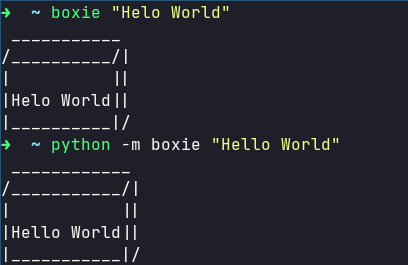
📦 A command line utility to put text in a box.

boxie A command line utility to put text in a box. Installation pip install boxie If you are on Linux you may need to use sudo to access this globally

A handy command-line utility for generating and sending iCalendar events

A handy command-line utility for generating and sending iCalendar events This simple command-line utility is designed to generate an iCalendar event,

Tiny command-line utility for mapping broken keys to other positions.

brokenkey Tiny command-line utility for mapping broken keys to other positions. Installation Clone this repository using git: git clone https://github

This is a CLI utility that allows you to view RedFlagDeals.com on the command line.

RFD Description Motivation Installation Usage View Hot Deals View and Sort Hot Deals Search Advanced View Posts Shell Completion bash zsh Description

img-proof (IPA) provides a command line utility to test images in the Public Cloud

overview img-proof (IPA) provides a command line utility to test images in the Public Cloud (AWS, Azure, GCE, etc.). With img-proof you can now test c

A command-line utility that, given a markdown file, checks whether all its links work.

A command-line utility written in Python that checks validity of links in a markdown file.

slipit is a command line utility for creating archives with path traversal elements.

slipit is a command line utility for creating archives with path traversal elements. It is basically a successor of the famous evilarc utility with an extended feature set and improved base functionality.

Double Pendulum visualised with fetching system information in Python.

Show off your terminal, in style. A nice relaxing double pendulum simulation using ASCII, able to simulate multiple pendulums at once, and provide tra

Releases(v0.1.0)
Owner
Christoffer Aakre
Christoffer Aakre
WazirX Portfolio Tracker on your Terminal!

If you have been investing in crypto in India, there is a very good chance that you are using WazirX. If you are using WazirX, then you definitely know that there is no P&L report, no green arrows no

Raunit 15 Jan 10, 2022
Fun project to generate The Matrix Code effect on you terminal.

Fun project to generate The Matrix Code effect on you terminal.

Henrique Bastos 11 Jul 13, 2022
Python3 command-line tool for the inference of Boolean rules and pathway analysis on omics data

BONITA-Python3 BONITA was originally written in Python 2 and tested with Python 2-compatible packages. This version of the packages ports BONITA to Py

1 Dec 22, 2021
Dynamically Generate GitHub Stats as like Terminal Interface

GitHub Stats Terminal Style Dynamically Generate GitHub Stats as like Terminal Interface Usage Create a New Repository using this Template or click he

YOGESHWARAN R 63 Jan 03, 2023
Python command line tool and python engine to label table fields and fields in data files.

Python command line tool and python engine to label table fields and fields in data files. It could help to find meaningful data in your tables and data files or to find Personal identifable informat

APICrafter 22 Dec 05, 2022
🌌 A Python script to generate blog banners from command line.

Auto Blog Banner Generator A Python script to generate blog banners. This script is used at RavSam. The following image is an example of the blog bann

RavSam 10 Sep 20, 2022
CryptoCo-py is a Python CLI application that uses CoinGecko API to allow the user to query cryptocurrency information by typing simple commands.

CryptoCo-py is a Python CLI application that uses CoinGecko API to allow the user to query cryptocurrency information by typing simple com

1 Jan 10, 2022
A startpage configured aesthetically with terminal-esque link formatting

Terminal-y Startpage Setup Clone the repository, then make an unformatted.txt file following the specifications in example.txt. Run format.py Open ind

belkarx 13 May 01, 2022
Easily turn single threaded command line applications into a fast, multi-threaded application with CIDR and glob support.

Easily turn single threaded command line applications into a fast, multi-threaded application with CIDR and glob support.

Michael Skelton 1k Jan 07, 2023
MsfMania is a command line tool developed in Python that is designed to bypass antivirus software on Windows and Linux/Mac in the future

MsfMania MsfMania is a command line tool developed in Python that is designed to bypass antivirus software on Windows and Linux/Mac in the future. Sum

446 Dec 21, 2022
Interactive Redis: A Terminal Client for Redis with AutoCompletion and Syntax Highlighting.

Interactive Redis: A Cli for Redis with AutoCompletion and Syntax Highlighting. IRedis is a terminal client for redis with auto-completion and syntax

2.2k Dec 29, 2022
Calculator for CLI. Made with Python

Calculator for CLI. Made with Python

Brandon Arreguin 2 Jan 07, 2022
A CLI based task manager tool which helps you track your daily task and activity.

CLI based task manager tool This is the simple CLI tool can be helpful in increasing your productivity. More like your todolist. It uses Postgresql as

ritik 1 Jan 19, 2022
A terminal tool for git. When we use git, do you feel very uncomfortable with too long commands

PIGIT A terminal tool for git. When we use git, do you feel very uncomfortable with too long commands. For example: git status --short, this project c

Zachary 1 Apr 09, 2022
A webmining CLI tool & library for python.

minet is a webmining command line tool & library for python (= 3.6) that can be used to collect and extract data from a large variety of web sources

médialab Sciences Po 165 Dec 17, 2022
Code for the Open Data Day 2022 publicbodies.org Nepal data scraping activities.

Open Data Day Publicbodies.org Nepal We've gathered on Saturday, 5th March 2022 with Open Knowledge Nepal in order to try and automate the collection

Augusto Herrmann 2 Mar 12, 2022
Management commands to help backup and restore your project database and media files

Django Database Backup This Django application provides management commands to help backup and restore your project database and media files with vari

687 Jan 04, 2023
This is my fetch, with ascii arts from neofetch and internet

deadfetch This is my fetch, with ascii arts from neofetch and internet Installation First what you need its python Fedora sudo dnf install python3 sud

DedSec 8 Jan 20, 2022
stonky is a simple command line dashboard for monitoring stocks.

stonky is a simple command line dashboard for monitoring stocks.

Jessy Williams 228 Dec 14, 2022
PipeCat - A command line Youtube music player written in python.

A command line Youtube music player written in python. It's an app written for Linux. It also supports offline playlists that are stored in a

34 Nov 27, 2022