coq.nvim
🐔
Named after the famous theorem prover
coq also means 鸡 in français québécois, and I guess 🥖.
Fast as FUCK and loads of features.
Faster Than Lua
-
Native C in-memory B-trees
-
SQLite VM interrupts
-
Coroutine based incremental & interruptible scheduler
-
TCP-esque flow control
More details at the PERFORMANCE.md
Features
Note: Due to compression, reality is faster than gifs
Fast as fuck
-
Results on every keystroke
-
Throttling? Never heard of her
-
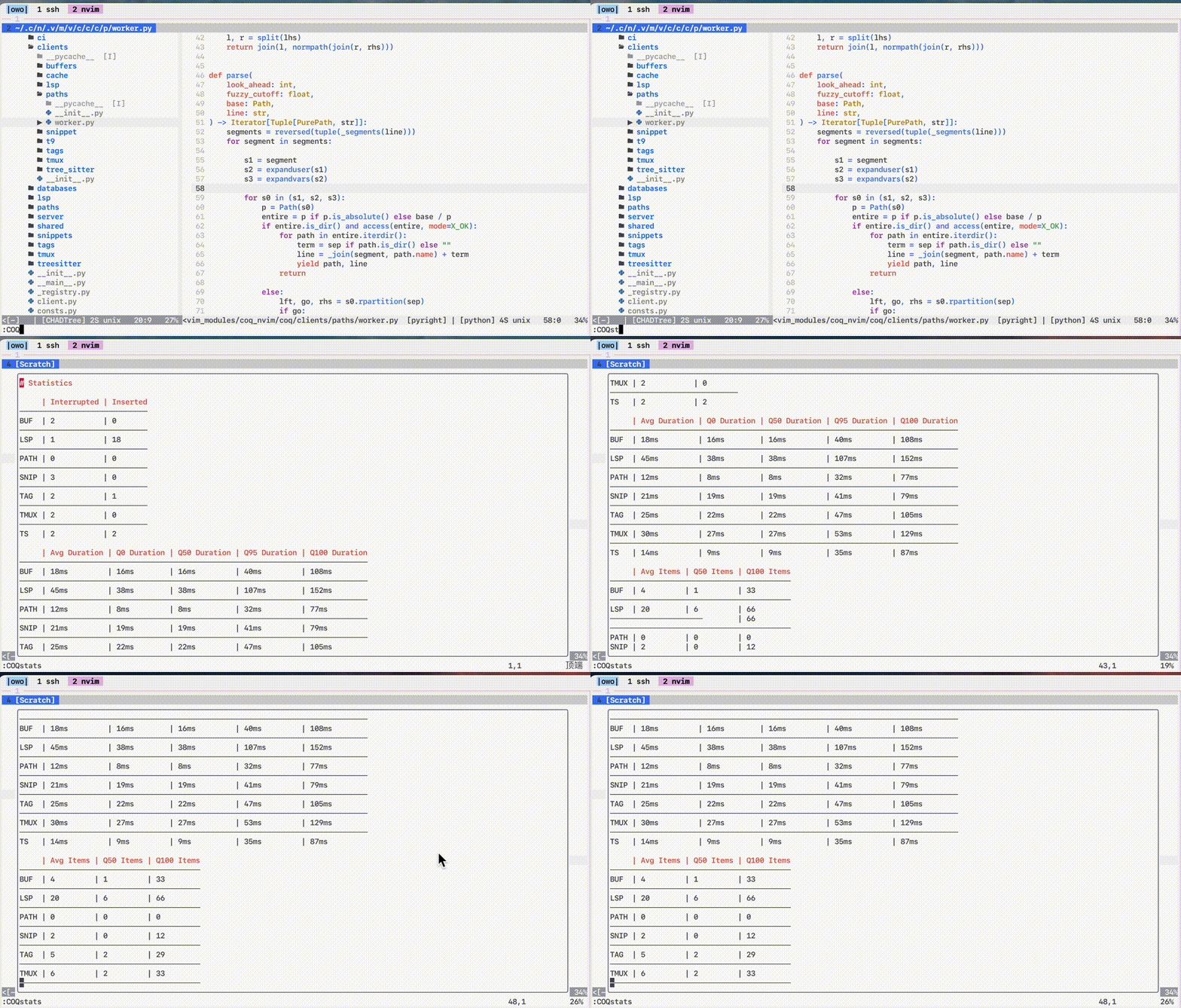
Real time performance statistics
-
Look at the gifs! The bottom few are the fastest when I didn't show down on purpose to show features.
Fuzzy Search
-
Typo resistant
-
Recency bonus
-
Proximity bonus
-
Weighted average of relative ranks & ensemble metrics
Error correction: cour -> colour_space, flgr -> flag_group, nasp -> Namespace
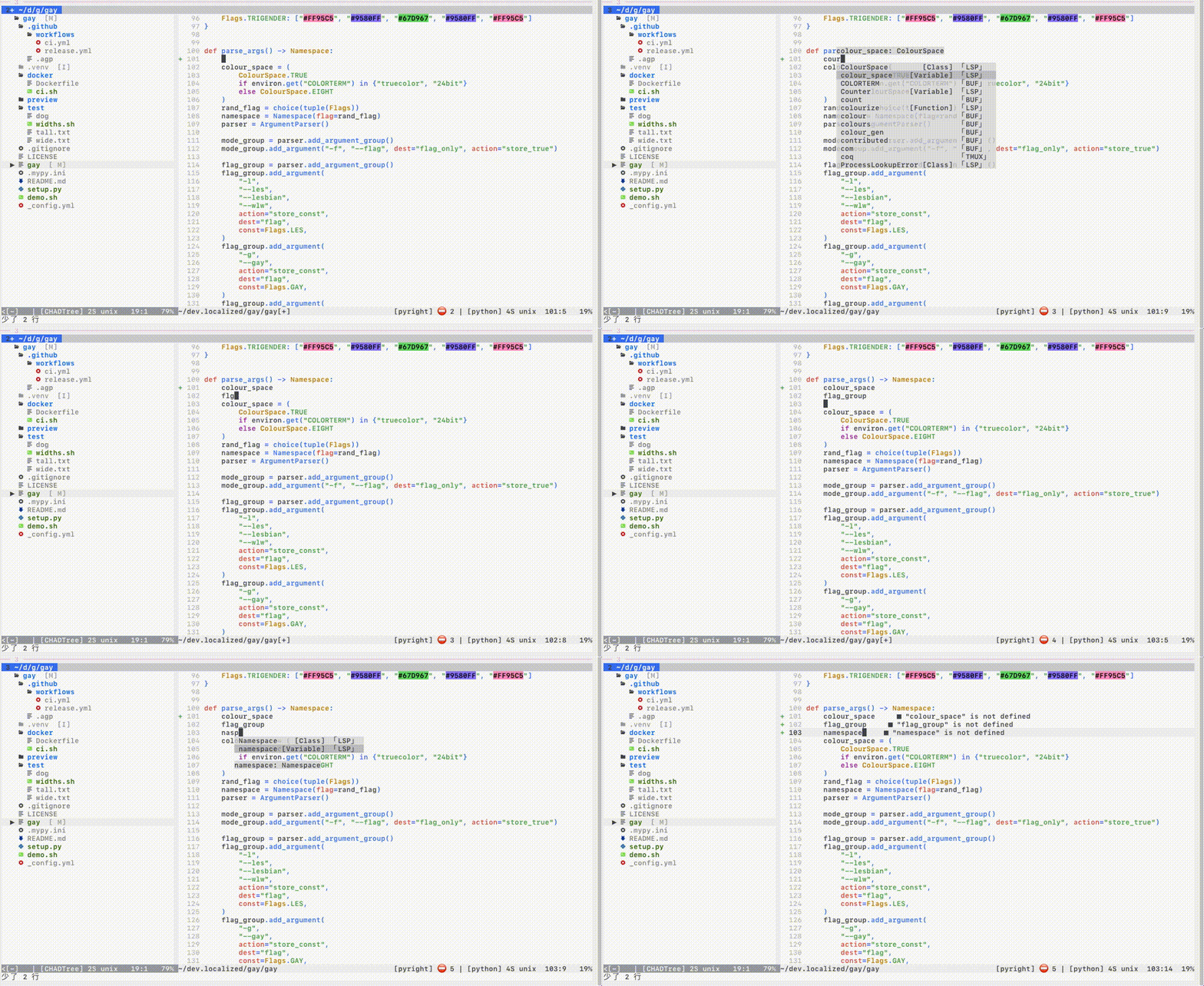
Preview
-
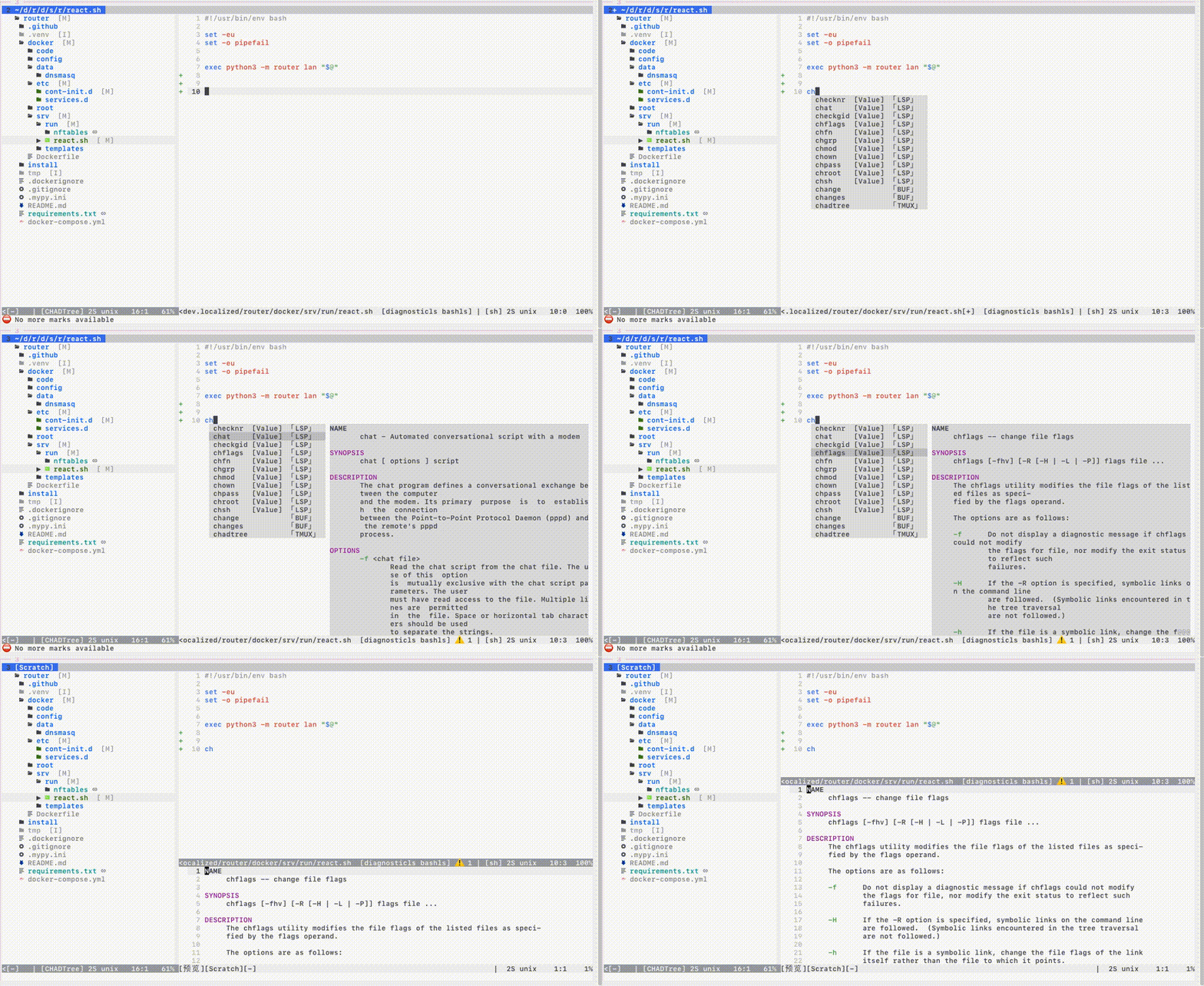
Press key to view documentation in big buffer
-
Auto open preview on side with most space
-
Customizable location: n, s, w, e
-
Ubiquitous: Tags, LSP, Paths, Snippets
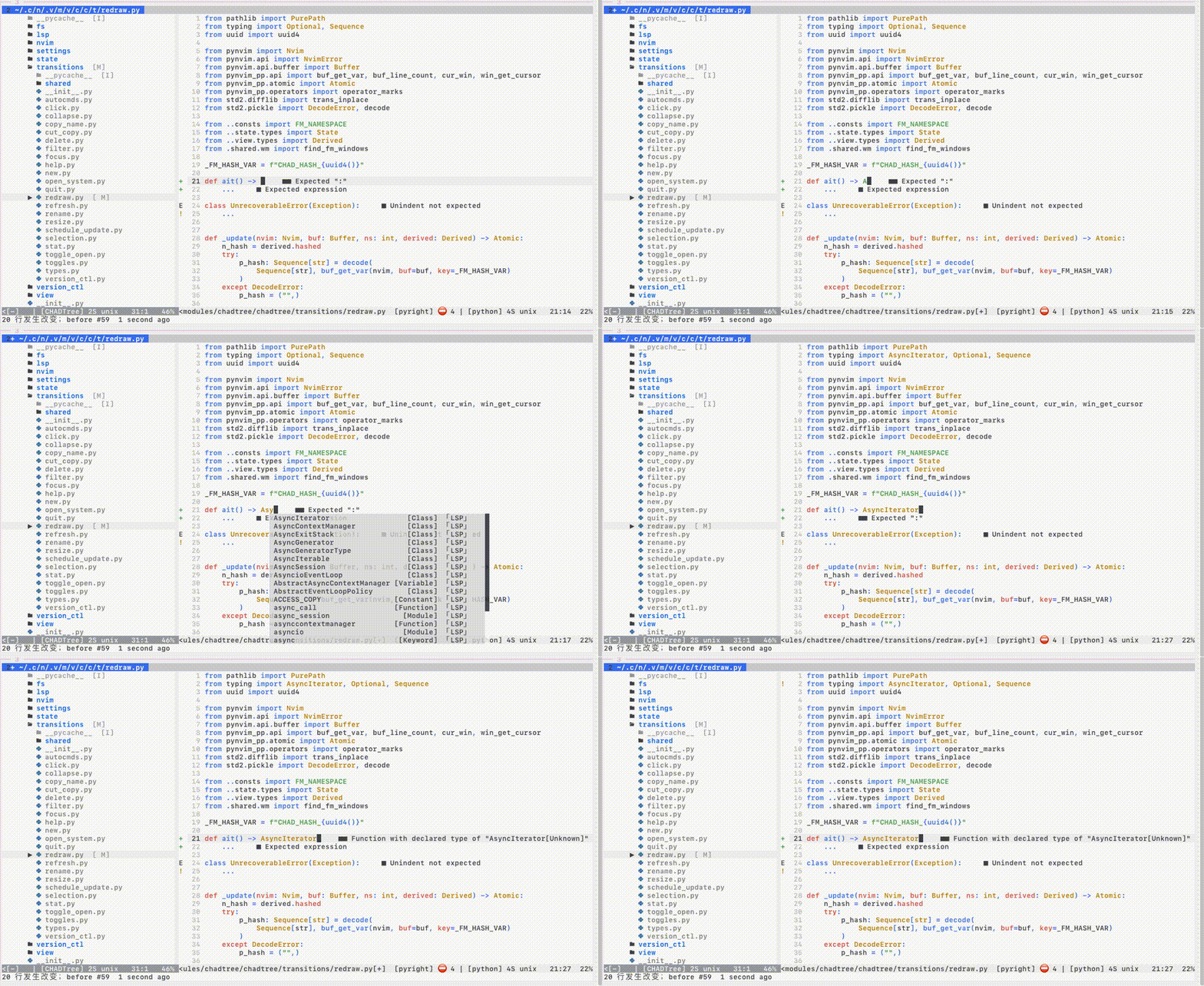
LSP
-
Incremental completion
-
Client-side caching
-
Multi-server completion (i.e.
tailwind+cssls) -
Header imports
- Snippet Support
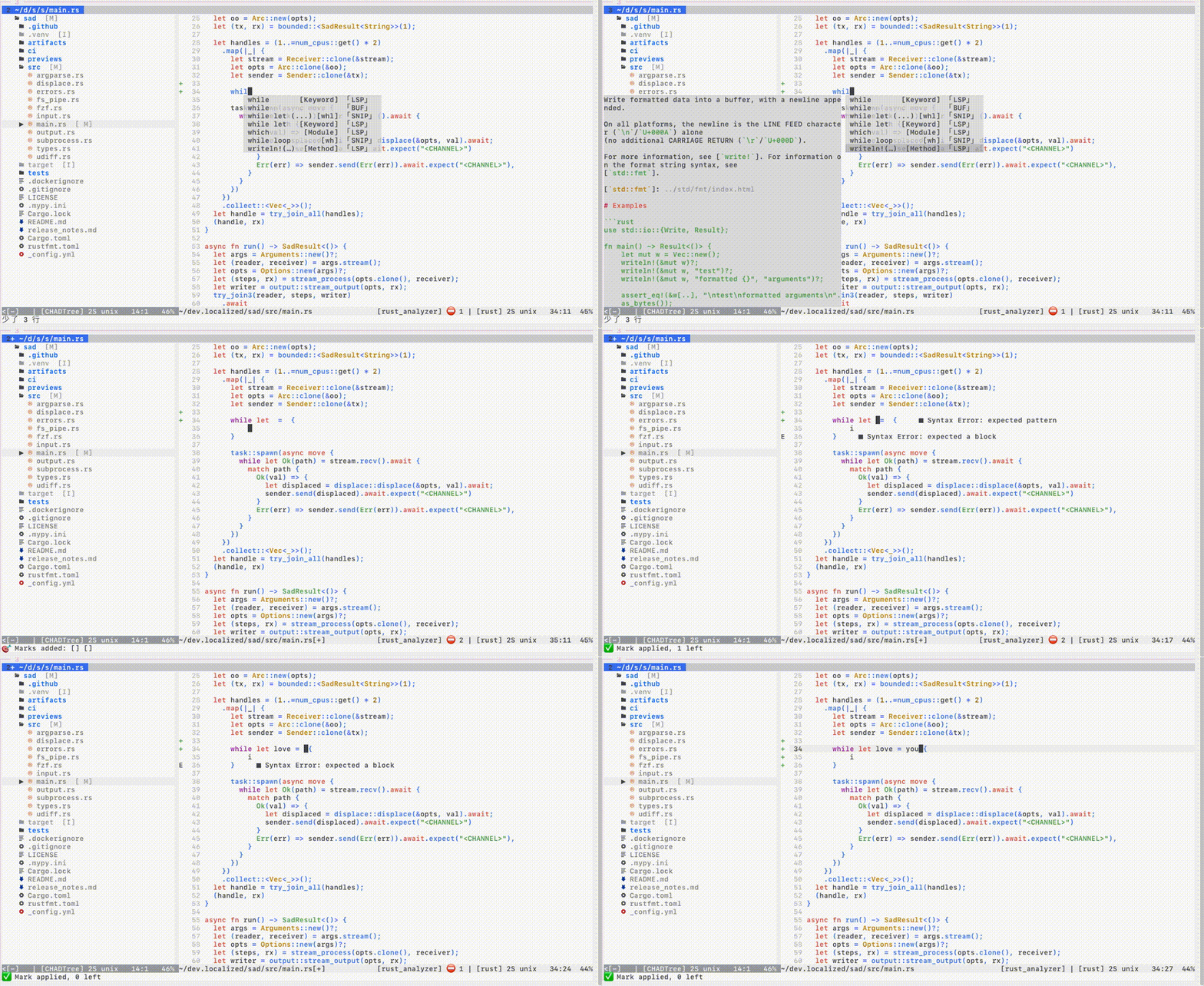
Install the Nvim Official LSP integration
Requires 1 line of change to support LSP snippets
local lsp = require "lspconfig"

lsp.<server>.setup(<stuff...>)                              -- before
lsp.<server>.setup(coq.lsp_ensure_capabilities(<stuff...>)) -- after
If you are using packer.nvim
vim.schedule(function ()
  local lsp = require "lspconfig"
  require("packer").loader("coq_nvim coq.artifacts")
  lsp.<server>.setup(require("coq")().lsp_ensure_capabilities(<stuff...>))
end)
Snippets
-
99% of LSP grammar, 95% of Vim grammar
-
Press key to jump to next edit region.
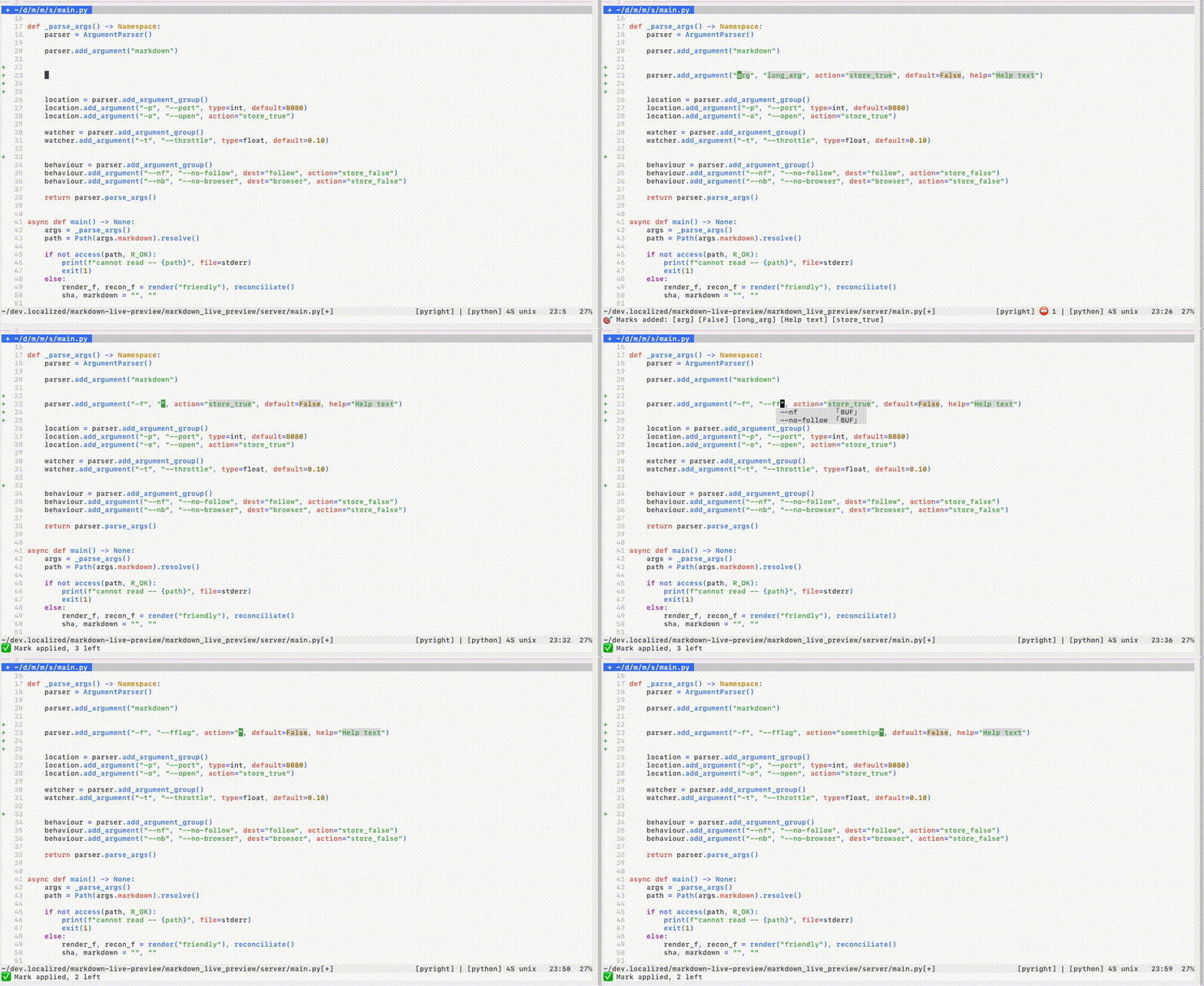
- Linked regions
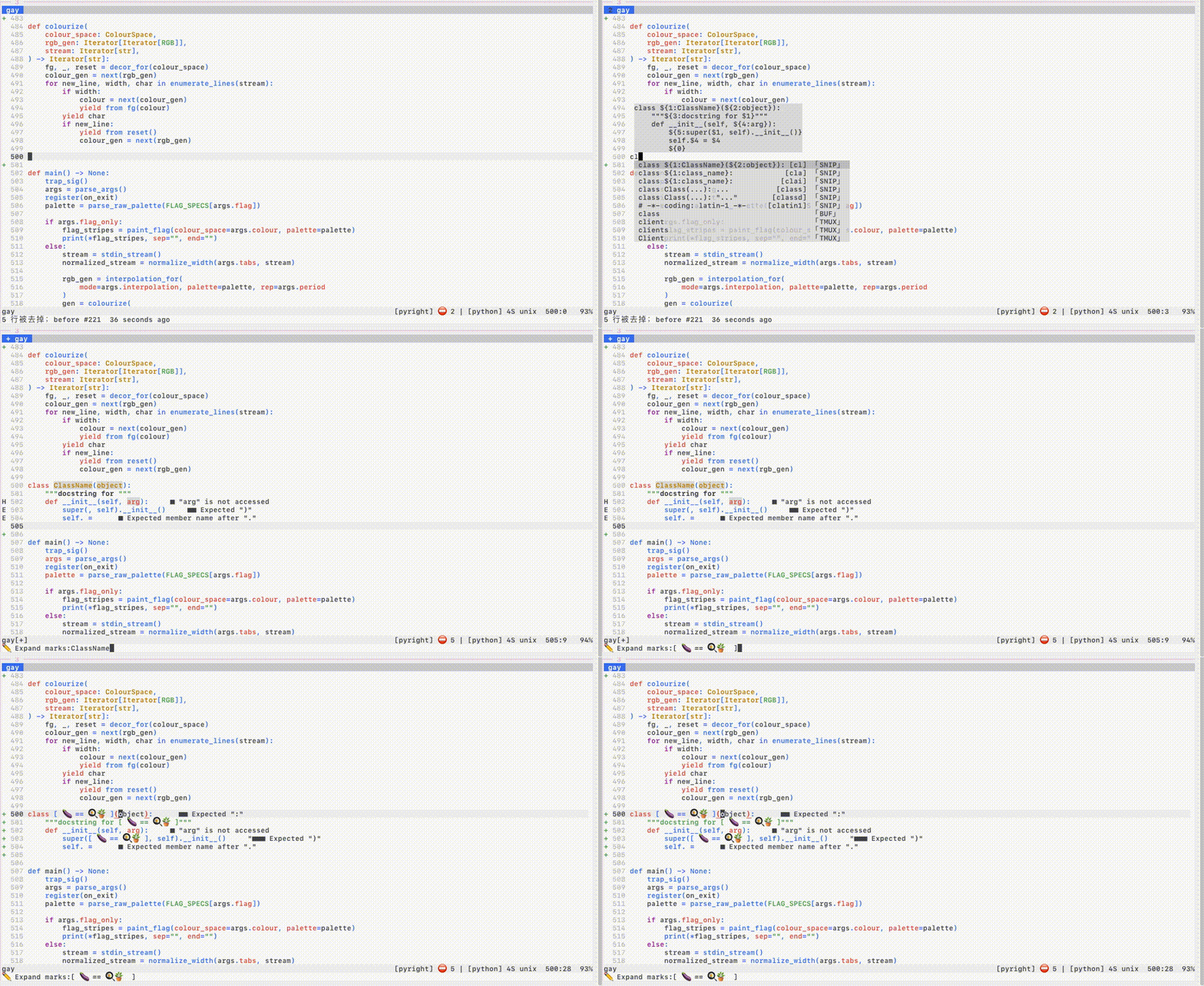
The % statistic comes from compiling the 10,000 snippets
See FAQ to see limitations due to upstream bug
CTags
-
Incremental & automatic background compilation
-
Tag location & context
-
Non-blocking
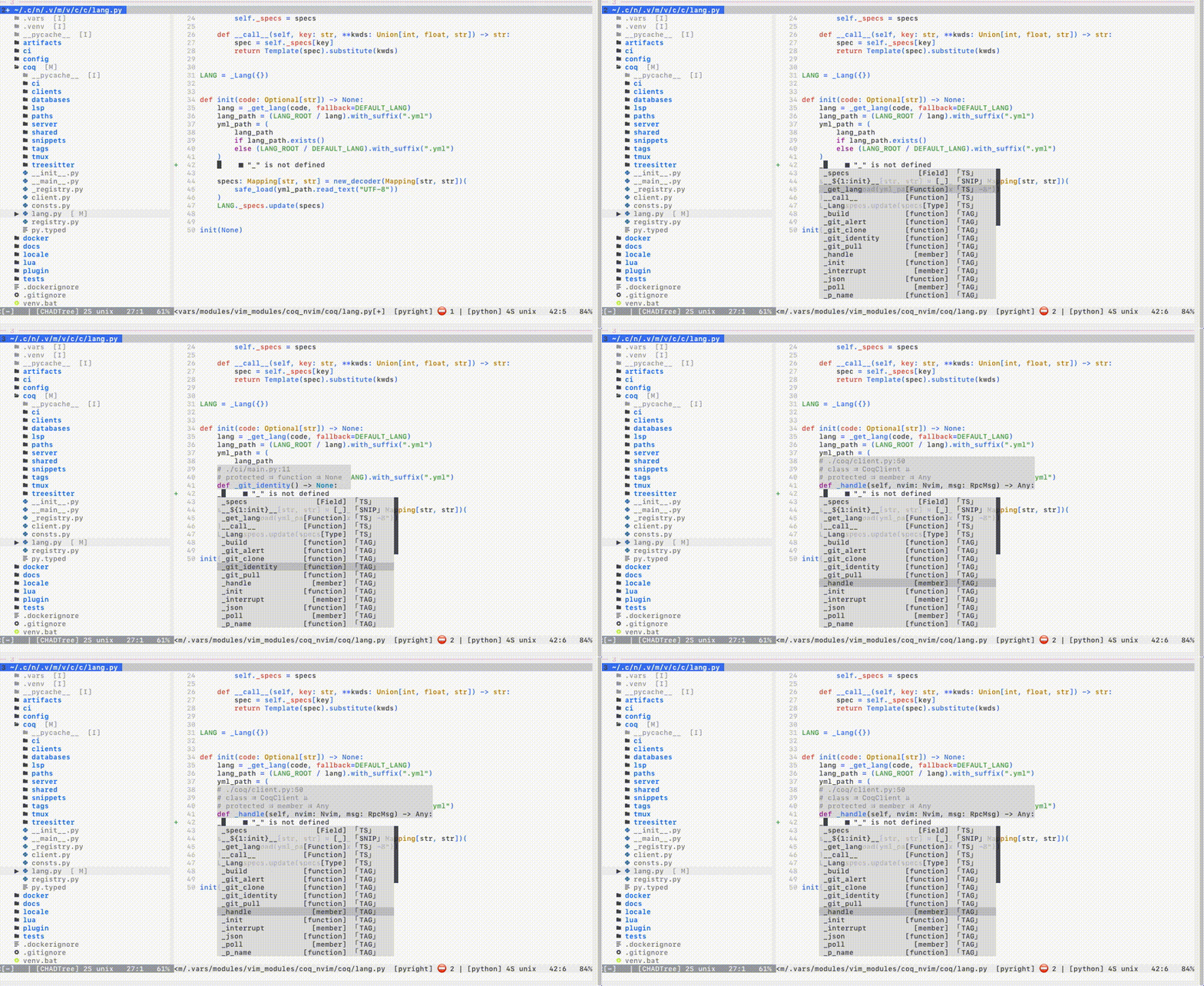
Requires Universal CTags, NOT ctags
# MacOS
brew uninstall ctags           # bad
brew install   universal-ctags # good

# Ubuntu
apt remove  ctags              # bad
apt install universal-ctags    # good
Paths
-
Preview contents
-
Relative to both
cwdand file path
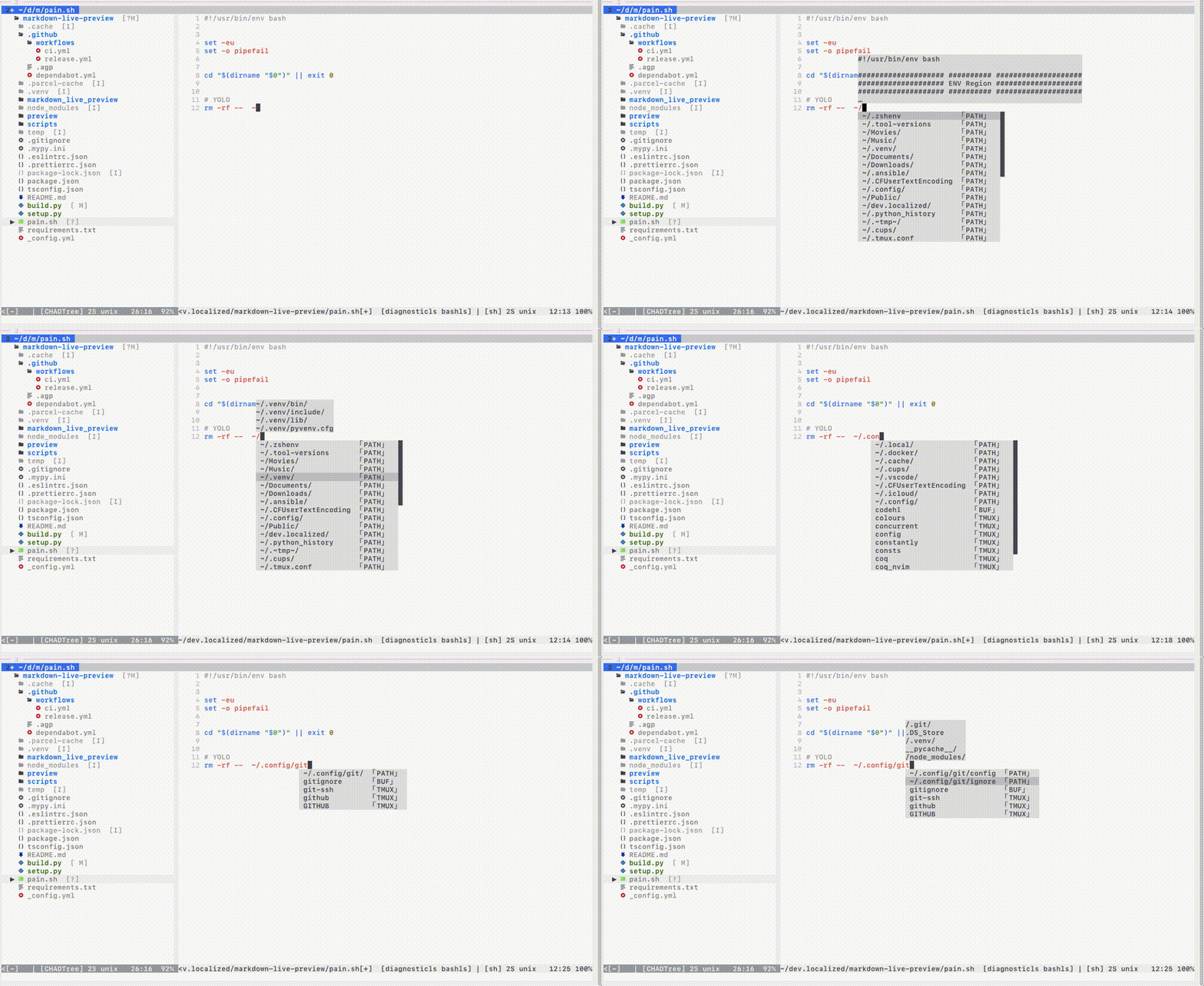
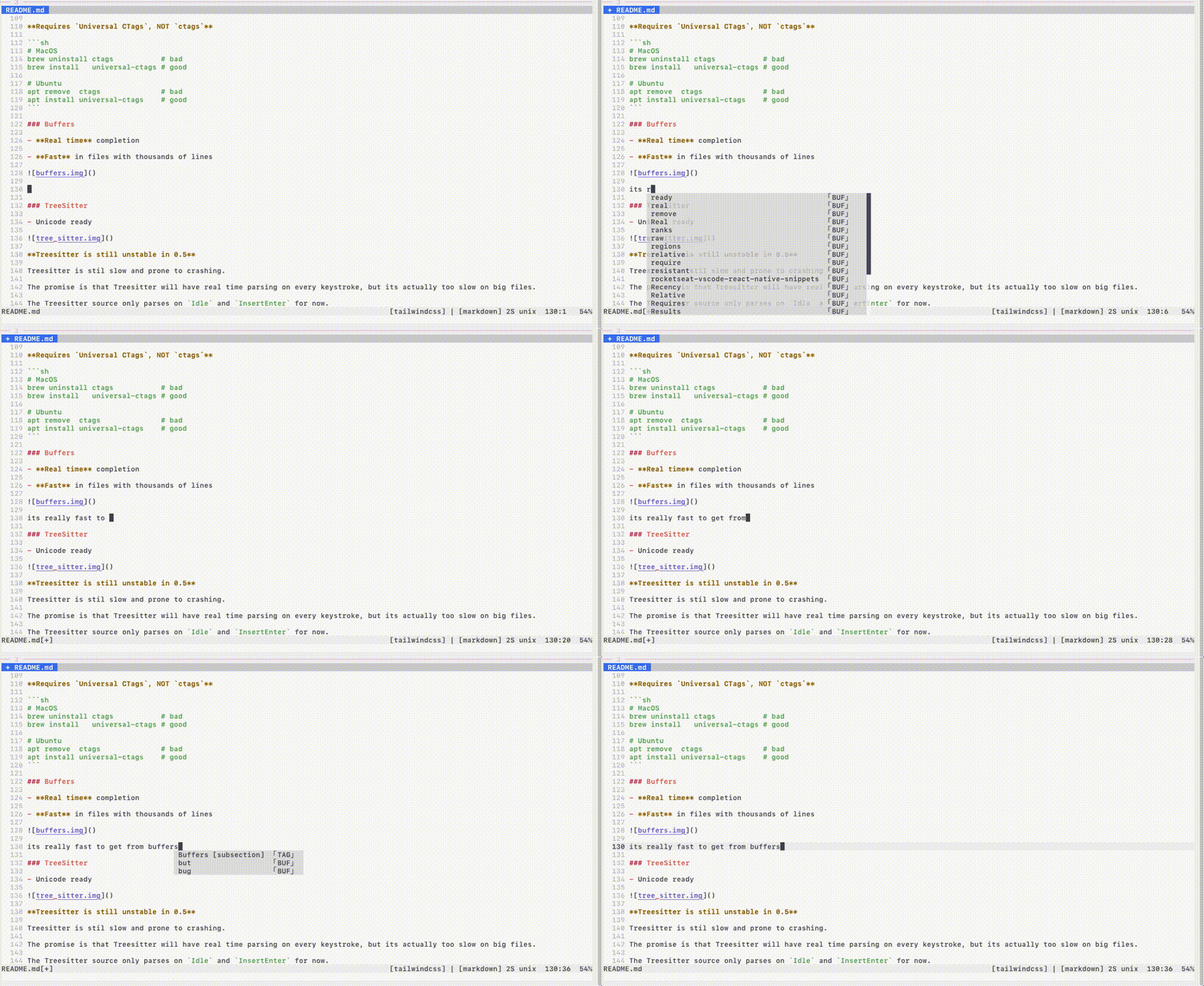
Buffers
-
Real time completion
-
Fast in files with thousands of lines
TreeSitter
-
Unicode ready
-
I don't have a picture, it's boring
Treesitter is still unstable in nvim0.5: slow and crash prone
The promise is that Treesitter will have real time parsing on every keystroke, but it's actually too slow on big files.
The Treesitter source only parses on Idle events due to unrealized performance promises.
Tmux
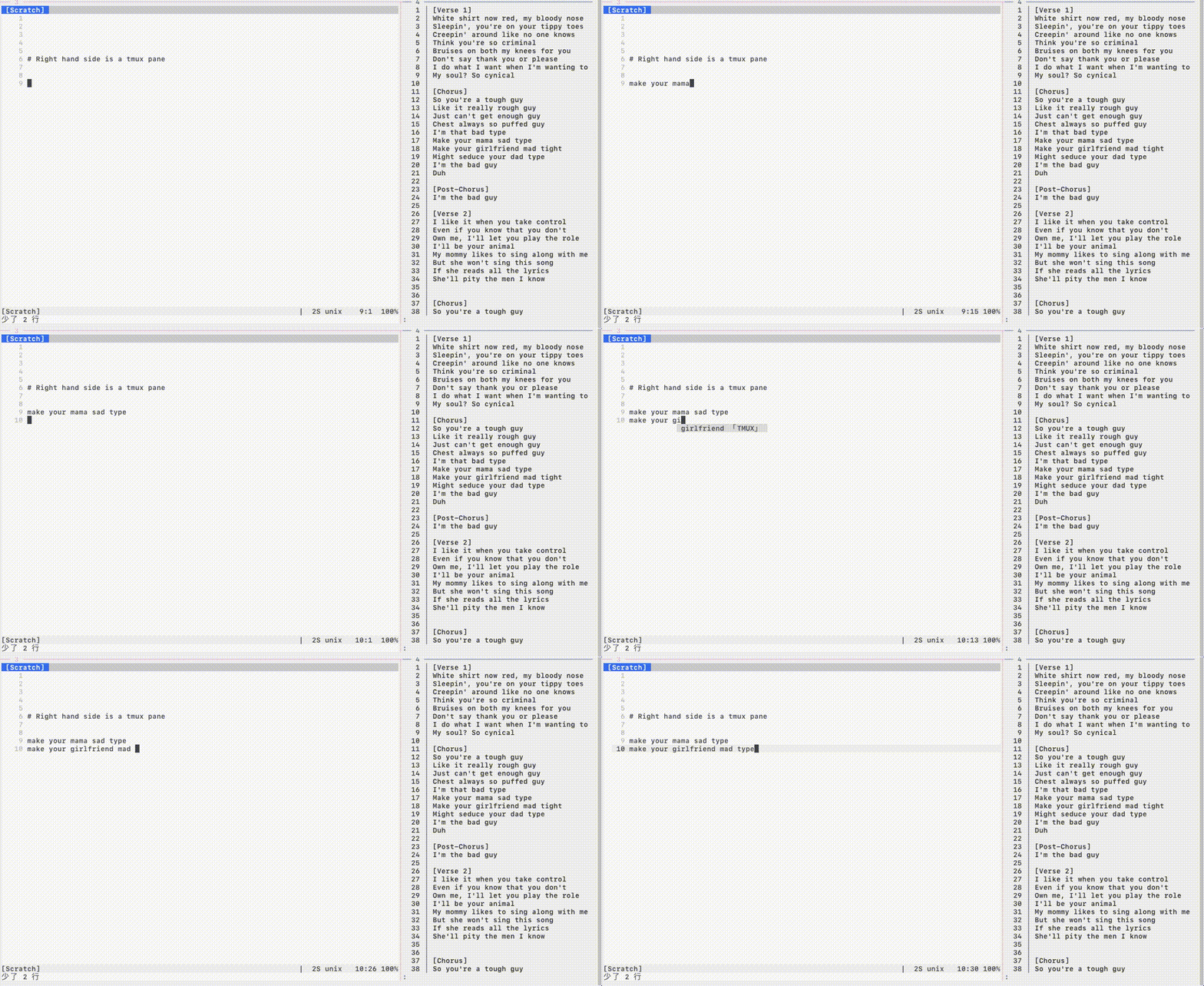
Tabnine
-
CPU preserving flow control
-
Auto download & install & update
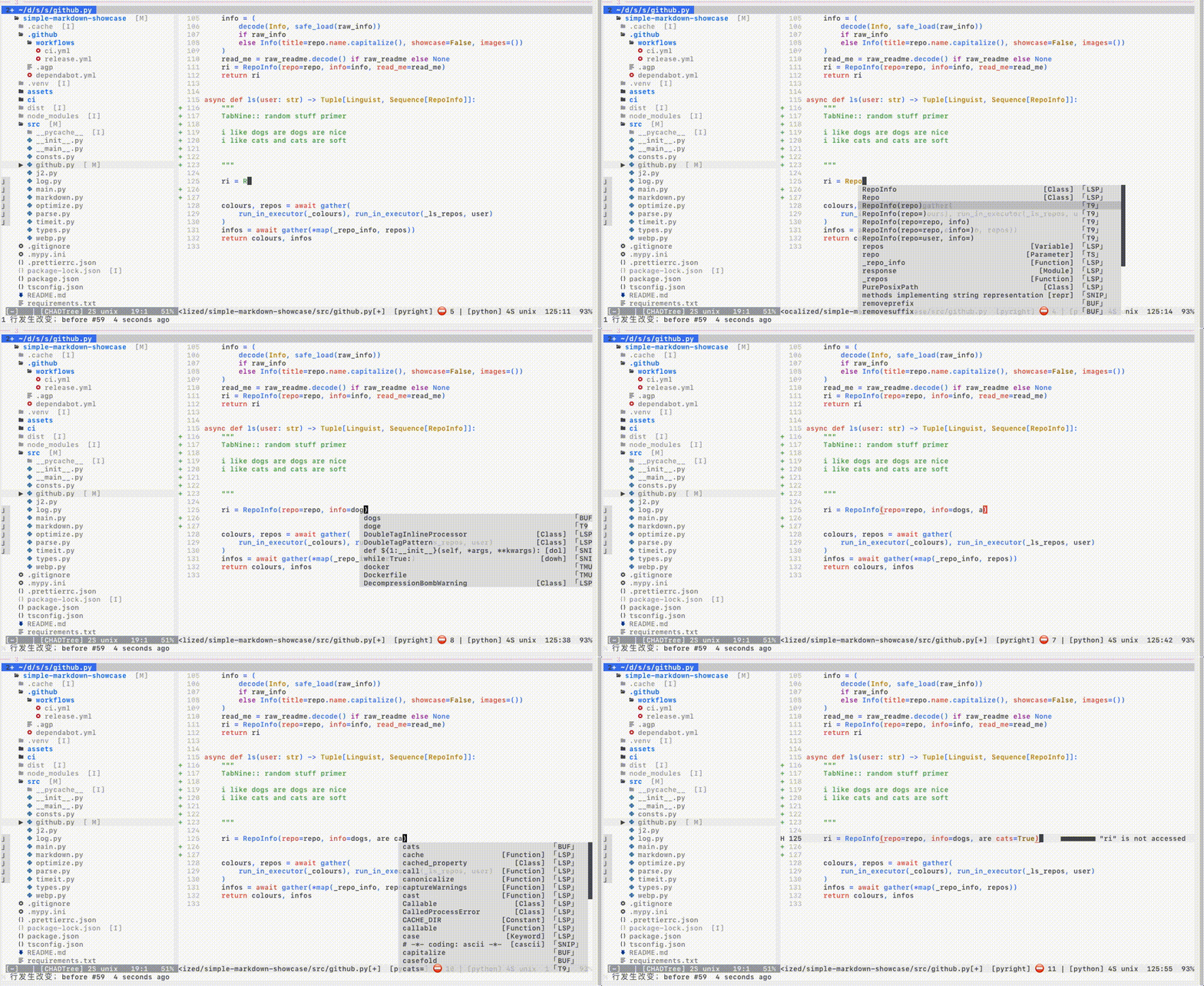
T9 is disabled by default, I might remove it, if they do not improve the CPU usage. Their own bug tracker.
Enable via: coq_settings.clients.tabnine.enabled=true
Statistics
:COQstats
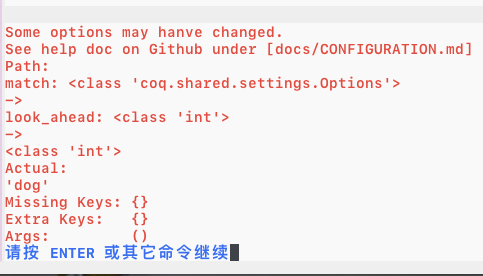
Validating config parser
- Prevents typos & type errors in your config
Here I make a type error on purpose inputting string instead of an integer.
Install
Needs python virtual env
apt install --yes -- python3-venv
Minimum version: python:3.8.2, nvim: 0.5, sqlite: recentish
Install the usual way, ie. VimPlug, Vundle, etc
" main one
Plug 'ms-jpq/coq_nvim', {'branch': 'coq'}
" 9000+ Snippets
Plug 'ms-jpq/coq.artifacts', {'branch': 'artifacts'}
-- packer
use { 'ms-jpq/coq_nvim', branch = 'coq'} -- main one
use { 'ms-jpq/coq.artifacts', branch= 'artifacts'} -- 9000+ Snippets
Documentation
To start coq
" the [-s, --shut-up] flag will remove the greeting message
:COQnow [--shut-up]
:COQdeps, please run it and do :COQnow again.
There is built-in help command
:COQhelp [--web] [topic]
FAQ
Default hotkeys?
Always:
| key | function |
|---|---|
|
manual completion |
|
edit snippet placeholder |
When completion menu is open:
| key | function |
|---|---|
|
move preview to bigger window |
|
exit to normal |
|
backspace |
|
select completion |
|
next result |
|
prev result |
When hovering over a result, entering any key [a-z] will select it
This is a vim thing, I have zero control over :(
Autostart COQ
let g:coq_settings = { 'auto_start': v:true } (or the lua way)
LSP too slow to show up on keystroke.
You have some options, each has its trade off:
- Increase the
coq_settings.limits.completion_auto_timeout.
This will slow down feedback on every keystroke, as coq waits for LSP.
- Use the manual completion hotkey (default
Annoying! And the manual completion also has a timeout coq_settings.limits.completion_manual_timeout.
Some LSP servers will still fail to respond within the default .66 seconds, in that case pressing
Missing Results
On keystroke only a max of coq_settings.match.max_results are shown.
Use manual completion hotkey to show all results.
Some LSP servers give inconsistent completions
This happens when certain LSP servers give you 1000s of unfiltered results in alphabetical order and you still have to respond in a few dozen milliseconds.
To eliminate a-z bias, coq does a random sort on the resultset and process and cache as many of them as possible within the performance window.
So if some results are not in the SQLite cache, and have yet to be processed, they will be missing. They might however still show up on later keystrokes.
Use the manual hotkey if you need to see everything.
Auto completion mess up snippet regions (the ones you can jump to)
This is an upstream nvim issue.
Theoretically I can work around this by writing my own nvim extmark reconciliator, or I can go and cuddle my puppy and let upstream fix it.
My vim crashed!
Disable TreeSitter
Treesitter still needs stability work.
I want to use a different python version
vim.g.python3_host_prog=
Note: ~/ will not be expanded to $HOME, use vim.env.HOME .. (lua) or $HOME . (viml) instead.
If you like this...
Also check out
-
sad, it's a modernsedthat does previews with syntax highlighting, and lets you pick and choose which chunks to edit. -
CHADTree, it's a FULLY featured file manager. -
isomorphic-copy, it's a cross platform clipboard that is daemonless, and does not require third party support.
Special Thanks & Acknowledgements
The snippets are compiled from the following open source projects:
Super special thanks goes to Typescript LSP.
Nothing like good motivation to improve my design than dumping 1000 results on my client every other keystroke.

 1 Dec 10, 2021
 100 Dec 13, 2022
 659 Dec 28, 2022
 1 Oct 28, 2021
 17 Nov 07, 2022
 140 Jan 03, 2023
 142 Dec 26, 2022
 1 Nov 28, 2021
 10 Nov 09, 2021
 1 Jul 22, 2022
 5 Dec 29, 2022
 13 Nov 28, 2022
 96 Jan 02, 2023
 2 Dec 06, 2021
 222 Jan 03, 2023
 75 Jan 05, 2023
 1 Oct 26, 2022
 8 Nov 27, 2022
 2.4k Jan 02, 2023
 798 Nov 21, 2022