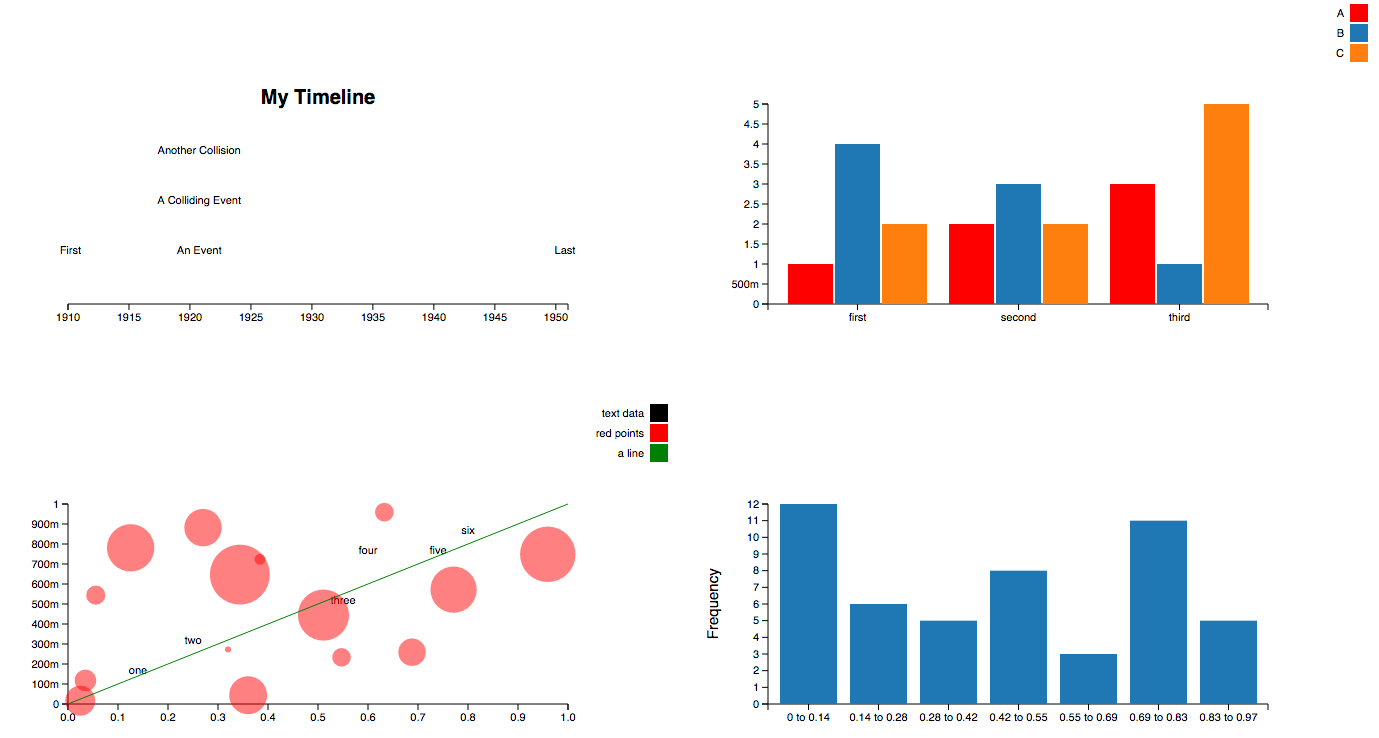
Create charts with Python in a very similar way to creating charts using Chart.js

Overview


The power of Chart.js in Jupyter Notebooks

GitHub GitHub release (latest by date) Binder Awesome Chart.js

Installation

You can install ipychart from your terminal using pip or conda:

# using pip
$ pip install ipychart

# using conda
$ conda install -c conda-forge ipychart

Documentation

Usage

Create charts with Python in a very similar way to creating charts using Chart.js. The charts created are fully configurable, interactive and modular and are displayed directly in the output of the the cells of your jupyter notebook environment:

You can also create charts directly from a pandas dataframe. See the Pandas Interface section of the documentation for more details.

Development Installation

For a development installation:

$ git clone https://github.com/nicohlr/ipychart.git
$ cd ipychart
$ conda install jupyterlab nodejs -c conda-forge
$ cd ipychart/js
$ npm install yarn
$ npm install 
$ cd .. 
$ pip install -e .
$ jupyter nbextension install --py --symlink --sys-prefix ipychart
$ jupyter nbextension enable --py --sys-prefix ipychart

References

License

Ipychart is available under the MIT license.

You might also like...
Movies-chart - A CLI app gets the top 250 movies of all time from imdb.com and the top 100 movies from rottentomatoes.com

movies-chart This CLI app gets the top 250 movies of all time from imdb.com and

Simple plotting for Python. Python wrapper for D3xter - render charts in the browser with simple Python syntax.

PyDexter Simple plotting for Python. Python wrapper for D3xter - render charts in the browser with simple Python syntax. Setup $ pip install PyDexter

🧇 Make Waffle Charts in Python.

PyWaffle PyWaffle is an open source, MIT-licensed Python package for plotting waffle charts. It provides a Figure constructor class Waffle, which coul

🧇 Make Waffle Charts in Python.

PyWaffle PyWaffle is an open source, MIT-licensed Python package for plotting waffle charts. It provides a Figure constructor class Waffle, which coul

Drag’n’drop Pivot Tables and Charts for Jupyter/IPython Notebook, care of PivotTable.js

pivottablejs: the Python module Drag’n’drop Pivot Tables and Charts for Jupyter/IPython Notebook, care of PivotTable.js Installation pip install pivot

Drag’n’drop Pivot Tables and Charts for Jupyter/IPython Notebook, care of PivotTable.js

pivottablejs: the Python module Drag’n’drop Pivot Tables and Charts for Jupyter/IPython Notebook, care of PivotTable.js Installation pip install pivot

Streamlit dashboard examples - Twitter cashtags, StockTwits, WSB, Charts, SQL Pattern Scanner

streamlit-dashboards Streamlit dashboard examples - Twitter cashtags, StockTwits, WSB, Charts, SQL Pattern Scanner Tutorial Video https://ww

mysql relation charts

sqlcharts 自动生成数据库关联关系图 复制settings.py.example 重命名为settings.py 将数据库配置信息填入settings.DATABASE,目前支持mysql和postgresql 执行 python build.py -b,-b是读取数据库表结构,如果只更新匹

Altair extension for saving charts in a variety of formats.

Altair Saver This packge provides extensions to Altair for saving charts to a variety of output types. Supported output formats are: .json/.vl.json: V

Comments
  • Running the formatter with a function?

    Running the formatter with a function?

    Hey guys,

    Firstly, thank you for this! What a great implementation. I really appreciate your efforts.

    So I inherited a code base that I'm trying to streamline data while using JavaScript and Python. I'm running into an issue where I can't seem to get the formatter to work on data labels. I'll post the working JS version below and what I've tried to do in Jupyter/Python.

    setChartPercentages() { for (const set of this.chart.data.datasets) set.datalabels = { labels: { value: { formatter: function(value, ctx) { //ctx not needed, but including it as that's typically what the chart.js docs do. return value + '%' } } } } } This function is called when creating or updating charts. I simplified it a bit, but basically it shows total percent instead of the numbers.

    I tried to replicate this in ipychart. I've tried to use the callback function as stated in the documentation as well as just using the formatter. I even tried to combine them. All of them did not register the formatter.

    dataset = { 'labels': ['Data 1', 'Data 2', 'Data 3', 'Data 4', 'Data 5', 'Data 6', 'Data 7', 'Data 8'], 'datasets': [{'data': [14, 22, 36, 48, 60, 90, 28, 12], "datalabels": {"display": True, "labels": { "value": { 'formatter': { 'callback': '''function(value, ctx) {return '$' + value.toString()}''' } } } } }] }

    I also tried

    '''function(value, index, values) {return '$' + value}'''

    Any idea on how to get the formatter to register? Thank you a ton for any help.

    opened by timmyjl12 3
  • Animation with ipywidget

    Animation with ipywidget

    Thanks for this amazing library, I'm surprised it's not already super hyped as the plots are looking great, and at the moment there are zero good equivalents for Jupyter notebooks.

    It is stated in the doc that a plot could be animated with ipywidget. I tried, but there seems to be no equivalent to the Figure attribute of bqplot, or FigureWidget of plotly, which would be used in e.g. a widgets.VBox object. Here is what I currently have, which doesn't work:

    # Modules import
    from ipychart import Chart
    import ipywidgets as widgets
    import time
    import numpy as np
    
    # Define data and chart
    data = {'datasets': [{'data': [{'x': 0, 'y': 0}, {'x': 1, 'y': 1}]}]}
    mychart = Chart(data, 'line')
    
    # Define a button for animation
    btn = widgets.Button(description="Start", icon="play")
    
    # Callback to update the chart
    def update_chart(btn):
        for i in range(10):
            y = np.random.rand(2)
            with mychart.hold_sync():
                mychart.data = {'datasets': [{'data': [{'x': 0, 'y': y[0]}, {'x': 1, 'y': y[1]}]}]}
            time.sleep(0.1)
            
    btn.on_click(update_chart)
    
    # UI Combining Button & Chart
    widgets.VBox([btn, mychart])


    I believe I should provide something like mychart.fig instead of mychart to widgets.VBox, but I couldn't find any similar attribute in the Chart class. Any idea how to solve that? If yes, that would be a great addendum to the documentation. Thank you :)

    opened by ColasDroin 3
  • Running on jupyter-lab

    Running on jupyter-lab

    Hi,

    Nice project you've got here, just what I wanted.

    Could you add a warning in the "Installing" docs saying that this only works with jupyter-notebook and not with jupyter-labs?

    I don't know if it was a problem only for me, but I couldn't make it work on Jupyter-lab, I kept getting errors when the front-end tried to depend on jupyter.extensions.jupyterWidgetRegistry. Unfortunately I'm not that used with this whole notebook thing and lost a couple hours trying to make it work. 😅

    BR, Gabriel

    opened by Psidium 2
  • Chartjs graphs are not respecting the width and height of the container.

    Chartjs graphs are not respecting the width and height of the container.

    It seems ChartJS might be trying to maintain the aspect ratio in the Voila dashboard web app. I need to turn that option off by setting the "maintainAspectRatio: false" option. Could you add this to the IPYCharts package to correctly render the charts in Voila?

    opened by ndgayan 2
Releases(v0.4.0)
  • v0.4.0(Mar 17, 2022)

    New features in this version:

    • Chart.js backend was updated to 3.x.x. This is a major update, all changes can be seen here: https://www.chartjs.org/docs/latest/getting-started/v3-migration.html. This implies large performance improvements, easier customization, a rewritten animation system, bug fixes etc.
    • Doc: Move from GitLab pages to GitHub pages. Replace algolia search by flexsearch. Re-writing of some sections to match the new syntax of Chart.js 3.x.x. Better handling of components, which are now isolated in separates HTML files called by Vue scripts.
    • Convert all JS code to ES6 Javascript standard. Use ESLint and Prettier to clean the JS codebase.
    • Integration and adaptation of the colorscheme plugin into the codebase because original implementation is not compatible with Chart.js 3.x.x.
    • Start TDD on Python side.
    Source code(tar.gz)
    Source code(zip)
  • v0.3.3(Jan 21, 2022)

  • v0.3.2(Dec 18, 2021)

    New features in this version:

    • Pandas Interface : Complete refactoring of the API. Charts are now created using functions.
    • Added support of Jupyter Lab.
    • Added dynamic update of charts when an agument of the chart is modified. This bring a lots of possibilities to dynamically modify a chart, for example by using ipywidgets (sliders, buttons ...).
    Source code(tar.gz)
    Source code(zip)
  • v0.2.2(Nov 7, 2020)

    New features in this version:

    • Full cleaning of Python code
    • Reduce fontsize in tooltips (back to default size) for charts made using the Pandas Interface
    Source code(tar.gz)
    Source code(zip)
  • v0.2.1(Sep 15, 2020)

    New features in this version:

    • Add zoom feature (using https://github.com/chartjs/chartjs-plugin-zoom), allowing the user to zoom in the chart using his mouse. Double click on the chart will reset the zoom.

    Bug Fixes:

    • Fix tooltips for doughnut, pie, polarArea charts when using pandas interface (tooltips wasn't formatted in the same way as other charts).
    • Fix typing in methods of ChartDataFrame class in pandas interface.
    • Fix docstrings: removing excess arguments and adding missing arguments.
    • Various fixes and minor modifications in the documentation
    Source code(tar.gz)
    Source code(zip)
  • v0.1.4(Sep 4, 2020)

    New features in this version:

    • Pandas Interface : Tooltips are automatically generated to use the column names of the dataframe used to draw the chart. Therefore, the information displayed when hovering the Chart is more relevant and more complete!
    • Code optimization in both Chart & ChartDataFrame classes

    Bug Fixes:

    • Add missing requirements
    • Requirements & LICENSE are now packaged in the source distribution
    Source code(tar.gz)
    Source code(zip)
  • v0.1.3(Aug 2, 2020)

    New features in this version:

    • Pandas Interface : add aggregator in the y scale label for clarity purpose.

    Bug Fixes:

    • ChartDataFrame can now handle dataset_options as list (for 2 datasets when hue is activated) or as dict (for 1 dataset when hue is deactivated)
    Source code(tar.gz)
    Source code(zip)
  • v0.1.2(Jul 24, 2020)

    New features in this version:

    • Pandas Interface : draw charts from your pandas dataframe. More details in documentation.
    • Better handling of callback functions in Javascript side. Using loops & Lodash Javascript package instead of listing all possible callbacks.

    Bug Fixes:

    • Dalalabels automatic coloring didn't work when a colorscheme was selected.
    • Default point colors and border colors didn't work on mixed type charts.
    • Callback functions didn't work on axes options.
    Source code(tar.gz)
    Source code(zip)
  • v0.1.1(Jun 18, 2020)

    Second version of ipychart. Some new features are available:

    • Datalabels (using https://github.com/chartjs/chartjs-plugin-datalabels)
    • Colorschemes (using https://github.com/nagix/chartjs-plugin-colorschemes)
    • New default style
    • Export chart to html

    ... And several bug fixes.

    Source code(tar.gz)
    Source code(zip)
  • v0.1.0(Apr 29, 2020)

Pglive - Pglive package adds support for thread-safe live plotting to pyqtgraph

Live pyqtgraph plot Pglive package adds support for thread-safe live plotting to

Martin Domaracký 15 Dec 10, 2022
A Python toolbox for gaining geometric insights into high-dimensional data

"To deal with hyper-planes in a 14 dimensional space, visualize a 3D space and say 'fourteen' very loudly. Everyone does it." - Geoff Hinton Overview

Contextual Dynamics Laboratory 1.8k Dec 29, 2022
Python Data. Leaflet.js Maps.

folium Python Data, Leaflet.js Maps folium builds on the data wrangling strengths of the Python ecosystem and the mapping strengths of the Leaflet.js

6k Jan 02, 2023
ScisorWiz: Differential Isoform Visualizer for Long-Read RNA Sequencing Data

ScisorWiz: Vizualizer for Differential Isoform Expression README ScisorWiz is a linux-based R-package for visualizing differential isoform expression

Alexander Stein 6 Oct 04, 2022
trade bot connected to binance API/ websocket.,, include dashboard in plotly dash to visualize trades and balances

Crypto trade bot 1. What it is Trading bot connected to Binance API. This project made for fun. So ... Do not use to trade live before you have backte

G 3 Oct 07, 2022
Getting started with Python, Dash and Plot.ly for the Data Dashboards team

data_dashboards Getting started with Python, Dash and Plot.ly for the Data Dashboards team Getting started MacOS users: # Install the pyenv version ma

Department for Levelling Up, Housing and Communities 1 Nov 08, 2021
Visualizations for machine learning datasets

Introduction The facets project contains two visualizations for understanding and analyzing machine learning datasets: Facets Overview and Facets Dive

PAIR code 7.1k Jan 07, 2023
Personal IMDB Graphs with Bokeh

Personal IMDB Graphs with Bokeh Do you like watching movies and also rate all of them in IMDB? Would you like to look at your IMDB stats based on your

2 Dec 15, 2021
DALLE-tools provided useful dataset utilities to improve you workflow with WebDatasets.

DALLE tools DALLE-tools is a github repository with useful tools to categorize, annotate or check the sanity of your datasets. Installation Just clone

11 Dec 25, 2022
A way of looking at COVID-19 data that I haven't seen before.

Visualizing Omicron: COVID-19 Deaths vs. Cases Click here for other countries. Data is from Our World in Data/Johns Hopkins University. About this pro

1 Jan 10, 2022
Pydrawer: The Python package for visualizing curves and linear transformations in a super simple way

pydrawer 📐 The Python package for visualizing curves and linear transformations in a super simple way. ✏️ Installation Install pydrawer package with

Dylan Tintenfich 56 Dec 30, 2022
A TileDB backend for xarray.

TileDB-xarray This library provides a backend engine to xarray using the TileDB Storage Engine. Example usage: import xarray as xr dataset = xr.open_d

TileDB, Inc. 14 Jun 02, 2021
A declarative (epi)genomics visualization library for Python

gos is a declarative (epi)genomics visualization library for Python. It is built on top of the Gosling JSON specification, providing a simplified interface for authoring interactive genomic visualiza

Gosling 107 Dec 14, 2022
WhatsApp Chat Analyzer is a WebApp and it can be used by anyone to analyze their chat. 😄

WhatsApp-Chat-Analyzer You can view the working project here. WhatsApp chat Analyzer is a WebApp where anyone either tech or non-tech person can analy

Prem Chandra Singh 26 Nov 02, 2022
Regress.me is an easy to use data visualization tool powered by Dash/Plotly.

Regress.me Regress.me is an easy to use data visualization tool powered by Dash/Plotly. Regress.me.-.Google.Chrome.2022-05-10.15-58-59.mp4 Get Started

Amar 14 Aug 14, 2022
A central task in drug discovery is searching, screening, and organizing large chemical databases

A central task in drug discovery is searching, screening, and organizing large chemical databases. Here, we implement clustering on molecular similarity. We support multiple methods to provide a inte

NVIDIA Corporation 124 Jan 07, 2023
Visualise Ansible execution time across playbooks, tasks, and hosts.

ansible-trace Visualise where time is spent in your Ansible playbooks: what tasks, and what hosts, so you can find where to optimise and decrease play

Mark Hansen 81 Dec 15, 2022
Data aggregated from the reports found at the MCPS COVID Dashboard into a set of visualizations.

Montgomery County Public Schools COVID-19 Visualizer Contents About this project Data Support this project About this project Data All data we use can

James 3 Jan 19, 2022
Minimal Ethereum fee data viewer for the terminal, contained in a single python script.

Minimal Ethereum fee data viewer for the terminal, contained in a single python script. Connects to your node and displays some metrics in real-time.

48 Dec 05, 2022
Easily convert matplotlib plots from Python into interactive Leaflet web maps.

mplleaflet mplleaflet is a Python library that converts a matplotlib plot into a webpage containing a pannable, zoomable Leaflet map. It can also embe

Jacob Wasserman 502 Dec 28, 2022