py-rubik_solver
Python solver for a rubik's cube
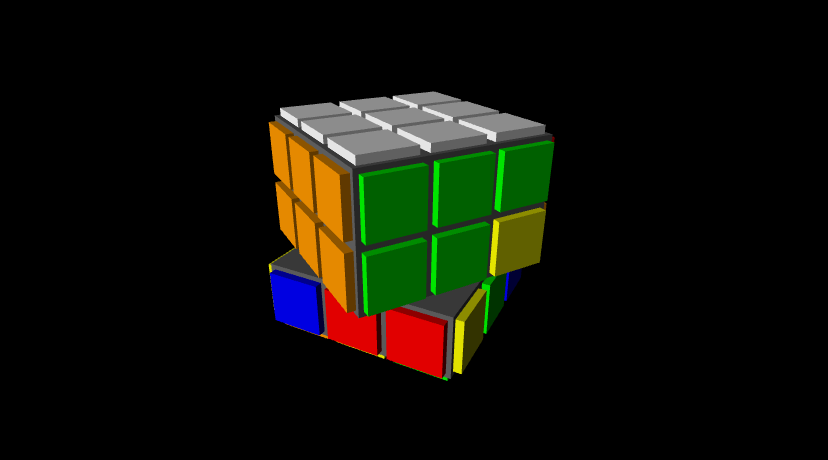
This program makes a 3D representation of a rubiks cube and solves it step by step.
Usage
To use this program you need to execute the following commands
-
For 3D visualizations:
python visualizer.py -
For statistics:
python stats.py
Requirements
To use this program you need to install python 3.8.10 or later (although it will probably work on python 3.7) You will also need a recent version of numpy and vpython 7 or later, those can be installed with:
pip install numpy vpython
Implementation
This project is separated in different files, each implementing a different functionality. The content and functionality of each of these files is the following:
configs.py
This file contains general configuration parameters mostly related to the visual representation of the cube:
- The default colors
- The number of fps
- The time taken to reproduce each move
- Time to wait between moves
- Speed factor
cube.py
This file contains the Cube class, which implements a data structure for storing the pieces of the cube and some functions for rotating the faces of the cube. It also implements the possibility to shuffle the cube on creation and the possibility of recording a list of moves made in the cube, this is used for generating a solution.
The main functions implemented in this class are:
-
move(move, n=1, record=True): where move should be a string representing the face to move and n is the number of 90 degree rotations to perform (2 is half turn and 3 or -1 is a turn to the other side). The codes used for the move are:- "U", "F", "R", "B", "L", "D" for individual faces.
- "UD", "FB", "RL" for the middle faces.
- "UU", "FF", "RR" for rotations of the whole cube along this axis.
-
rotate(axis, n=1): this has the same effect as usingmovewith "UU", "FF", "RR" but these moves are never recorded. -
is_solved(): checks whether the cube equals the solved cube. Keep in mind that this function will returnFalseeven if the cube is solved but faces a different way. -
copy(): creates a deep_copy of the cube. The copy is completely independent of the original cube.
cube_3d.py
This file implements the Cube3D class, which directly inherits from the Cube class. This class overrides the __init__ and move functions to first create all the cubes necessary to represent the rubiks cube in 3D and then animate them each time any face is moved.
cube_solver.py
This file implements the CubeSolver class, which acts as an abstract class for all the other solving algorithms. It only takes care of taking some measures for statistics.
simple_solver.py
This is the first solving algorithm implemented, it's the usual beginer algorithm for anyone learning how to solve the rubiks cube. It's implemented on a really naive way, and it's far from optimal in terms of the number of steps of the solution. It was just a proof of concept and my goal is to implement a better, more efficient version of this class in the future.
In my personal computer this algorithm takes 1.78 ms on average to compute a solution, and the solutions have 205.6 steps on average. Again these results are far from good, but this was just a proof of concept.
The process of the algorithm is separated in different steps, which are:
- solve_first_cross: solves the cross on the UP face
- solve_first_corners: solves the corners on the UP face
- solve_second_row: solves the second "crown" or the second row
- solve_second_cross: creates a cross on the DOWN face
- orientate_2nd_cross: positions correctly the pieces inside the cross on the DOWN face
- solve_second_corners: positions correctly the corners in the DOWN face
- orientate_2nd_corners: rotates correctly the corners in the DOWN face
- reorient_cube: rotates the whole cube so that the UP face is facing up and the FRONT face if facing front
stats.py
This file is used to compute some statistics of the cube solutions. At this point this file is used to compute:
- The average time taken to generate a solution
- The average number of steps of the generated solutions
- Some data of the solving process
Keep in mind the data computed will probably change in the future.
util.py
In this file we store different lists and dictionaries used in the project such as a solved cube structure, a list of the directions, a function for generating random moves, ...
visualizer.py
This file is used to launch a 3D representation of the solving process of the cube. It also contains a function to check the progress of the solving algorithm.
Notes
In the future I'm planing to make more solving algorithms as well as an implementation for a physical robot that solves a given cube.
Use this code as you wish, just let me know if you do, I'll love to hear what you are up to!
If you have any doubts/comments/suggestions/anything please let my know via email at [email protected] or at the email in my profile.

 102 Jun 29, 2022
 6 Apr 18, 2022
 544 Dec 20, 2022
 20 Nov 10, 2022
 1.6k Feb 24, 2022
 13 Aug 27, 2022
 49 Sep 22, 2022
 453 Dec 28, 2022
 1 Jan 07, 2022
 2 Feb 20, 2022
 19 Dec 07, 2022
 356 Dec 08, 2022
 840 Dec 26, 2022
 81 Jan 01, 2023
 2k Dec 31, 2022
 29 Dec 26, 2022
 81 Jan 04, 2023
 12 Sep 11, 2022
 10 Sep 23, 2022
 428 Nov 22, 2022