Sink is a CLI tool that allows users to synchronize their local folders to their Google Drives. It is similar to the Git CLI and allows fast and reliable syncs with the drive.

Overview

Sink

Sink is a CLI synchronisation tool that enables a user to synchronise local system files and folders with their Google Drives. It follows a git CLI like approach to facilitate straight-forward and easy synchronsiation. It uses the Google Drive API to interact with the Google Drive and OAuth to verify clients.

Installation

Install from zip file:

Download and extract the drive-sink-main folder to a suitable directory and run the following commands in that folder. (It is advised to install in a virutal environment)

  cd drive-sink-main
  pip install .

Install by cloning:

Set up a new folder and then clone the repo into the folder.

  git clone https://github.com/thakreyn/drive-sink.git
  cd drive-sink-main
  pip install .

After installation, run the command sink from the environment to use the tool.

Sink-main

Script Setup

In case of a virtual environment, one might use the script inside scripts folder by replacing the path inside the sink.bat with the path of sink.exe inside your env/scripts. And then add this script to your environment variables.

Assuming the path of env/scripts is : D:\Projects\trial\env\Scripts\sink.exe

@echo off

:: Replace the  with the absolute path of your env/scripts folder
:startsink  
D:\Projects\trial\env\Scripts\sink.exe %*

(NOTE: Above is applicable for windows only. Linux and Mac users need to create separate scripts)

Google Drive API Setup

As the application is based on the Google Drive API, in order to use it, you need to activate the Google Drive API for your account. Following are the steps to do so :

Enable Drive API for your account

After enabling the Drive API, you need to generate credentials for your account, the following article explains the steps to generate the credentials for your account.

Generate credentials for your account

After generating the credentials, download the .json file with credentials and rename it to credentials.json and paste it in the config folder 'after' initialising a directory.

Documentation

You can type in sink in your terminal or sink --help to see all the available commands available.

  • sink init : Initialise the folder and config details
  • sink initdrive : Verify credentials and sync files to drive
  • sink scan : Scans the directory for changes in files and folders
  • sink sync : Updates/commits the changes to the drive
  • sink log : Shows the commit log
  • sink status : Shows general config information
  • sink clean : Cleans (untracks) the given folder with option to delete drive folder as well

For further options for each command, type sink --help

Usage Demo

  1. In order to initialise a directory for synchronisation, we need to use the command sink init Sink init2
  2. (optional) You can list the files to be ignored in the ignore.txt inside .sink` folder. For ignoring folders, just use an '!' before the name.
    Sink ignore
  3. Then we paste the credentials.json file generated by Google inside the config folder in .sink.
    Sink Cred
  4. Then run sink initdrive to verify your credentials and initialise the directory on your drive. sink initdrive
  5. For just scanning the changes in the directory, we use sink scan Sink scan
  6. For syncing/commiting the changes to drive, we use the command sink sync. We can also the -m option along with sink sync to log a commit message. Sink sync
  7. To view commit messages, we can use the command sink log. Sink log can take in number of lines as an option (defalut = 5). Sink log
  8. sink status can be used to see te config details for the current directory Sink status

License

MIT

Authors

Contributing

Contributions are always welcome! Your feedback will help me grow as a developer and help me build better and more usable apps.

You might also like...
🐍The nx-python plugin allows users to create a basic python application using nx commands.

🐍 NxPy: Nx Python plugin This project was generated using Nx. The nx-python plugin allows users to create a basic python application using nx command

Juniper Command System is a Micro CLI Tool that allows you to manage your files, launch applications, as well as providing extra tools for OS Management.

Juniper Command System is a Micro CLI Tool that allows you to manage your files, launch applications, as well as providing extra tools for OS Management.

[WIP]An ani-cli like cli tool for movies and webseries

mov-cli A cli to browse and watch movies. Installation This project is a work in progress. However, you can try it out python git clone https://github

A python based command line tool to compare Github Users or Repositories

gitcomp A simple python package with a CLI to compare GitHub users and repositories by associating a git_score to each entry which is a weighted sum o

PathPicker accepts a wide range of input -- output from git commands, grep results, searches -- pretty much anything.After parsing the input, PathPicker presents you with a nice UI to select which files you're interested in. After that you can open them in your favorite editor or execute arbitrary commands. Command line util for grep.app - Search across a half million git repos
Command line util for grep.app - Search across a half million git repos

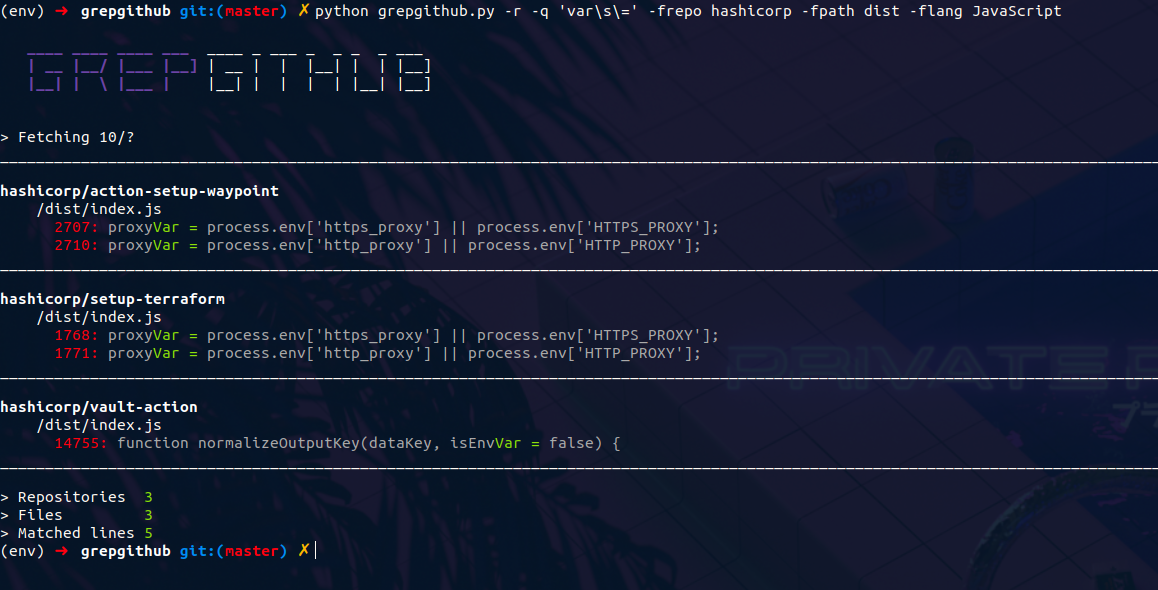
grepgithub Command line util for grep.app - Search across a half million git repos Grepgithub uses grep.app API to search GitHub repositories, providi

Trans is a dependency-free CLI for Google Translate

Trans is a dependency-free CLI for Google Translate

pypinfo is a simple CLI to access PyPI download statistics via Google's BigQuery.

pypinfo: View PyPI download statistics with ease. pypinfo is a simple CLI to access PyPI download statistics via Google's BigQuery. Installation pypin

Comments
  • No need to delete file when Folder has been deleted already.

    No need to delete file when Folder has been deleted already.

    When a folder has been deleted first, then it's contents are moved to trash in the drive. But if the trash is cleared or disabled then it can raise an error

    enhancement 
    opened by thakreyn 1
  • OS: Source path for Linux is not working for saving credential.txt globally

    OS: Source path for Linux is not working for saving credential.txt globally

    I guess source path for is different for Linux and Windows. Please check and do update with the same!! You have done a great job!! very useful product for daily life and backup.

    opened by sujal0930 1
  • Drive Sync  during Update

    Drive Sync during Update

    There are 2 bugs that I have found during my test :

    1. During the sync of the folder, File name are not getting printed in the terminal
    2. If the folder is deleted in the drive and an edit has been made in the file, then the changes are not been shown. The file should have been uploaded once again. :)
    bug help wanted good first issue 
    opened by sachdev27 1
Releases(Stable)
Owner
Yash Thakre
Yash Thakre
Conditional Transformer Language Model for Controllable Generation

CTRL - A Conditional Transformer Language Model for Controllable Generation Authors: Nitish Shirish Keskar, Bryan McCann, Lav Varshney, Caiming Xiong,

Salesforce 1.7k Jan 05, 2023
A next-generation CLI and TUI that aims to be your personal assistant for everything competitive programming related. πŸš€

Competitive Programming Tool Kit The Competitive Programming Tool Kit (cptk for short), is a command line and terminal user interface (CLI and TUI) th

Alon 4 May 21, 2022
The Prisma Cloud CLI is a command line interface for Prisma Cloud by Palo Alto Networks.

Prisma Cloud CLI The Prisma Cloud CLI is a command line interface for Prisma Cloud by Palo Alto Networks. Support This project has been developed by P

Palo Alto Networks 13 Oct 14, 2022
moviepy-cli: Command line interface for MoviePy.

Moviepy-cli is designed to apply several video editing in a single command with Moviepy as an alternative to Video-cli.

Kentaro Wada 23 Jun 29, 2022
A command line tool that creates a super timeline from SentinelOne's Deep Visibility data

S1SuperTimeline A command line tool that creates a super timeline from SentinelOne's Deep Visibility data What does it do? The script accepts a S1QL q

Juan Ortega 2 Feb 08, 2022
A basic molecule viewer written in Python, using curses; Thus, meant for linux terminals

asciiMOL A basic molecule viewer written in Python, using curses; Thus, meant for linux terminals. This is an alpha version, featuring: Opening defaul

Dominik Behrens 328 Dec 11, 2022
Kubernetes shell: An integrated shell for working with the Kubernetes

kube-shell Kube-shell: An integrated shell for working with the Kubernetes CLI Under the hood kube-shell still calls kubectl. Kube-shell aims to provi

CloudNative Labs 2.2k Jan 08, 2023
An awesome Python wrapper for an awesome Docker CLI!

An awesome Python wrapper for an awesome Docker CLI!

Gabriel de Marmiesse 303 Jan 03, 2023
frogtrade9000 - a command-line Rich client for the freqtrade REST API

frogtrade9000 - a command-line Rich client for the freqtrade REST API I found FreqUI too cumbersome and slow on my Raspberry Pi 400 when running multi

Robert Davey 79 Dec 02, 2022
A startpage configured aesthetically with terminal-esque link formatting

Terminal-y Startpage Setup Clone the repository, then make an unformatted.txt file following the specifications in example.txt. Run format.py Open ind

belkarx 13 May 01, 2022
A CLI minesweeper application written in 60 LoC python

This is a CLI minesweeper application written in 60 LoC python. You can use d row,column to dig and f row,column to flag/unflag

1 Dec 21, 2021
Chat In Terminal - Chat-App in python

Chat In Terminal Hello all. πŸ˜‰ Sockets and servers are vey important for connection and importantly chatting with others. πŸ˜‚ 😁 I have thought of maki

Shreejan Dolai 5 Nov 17, 2022
Zecwallet-Python is a simple wrapper around the Zecwallet Command Line LightClient written in Python

A wrapper around Zecwallet Command Line LightClient, written in Python Table of Contents About Installation Usage Examples About Zecw

Priveasy 2 Sep 06, 2022
Tstock - Check stocks from the terminal

tstock - Check stocks from the terminal! πŸ“ˆ tstock is a tool to easily generate stock charts from the command line. Just type tstock aapl to get a 3 m

Gabe Banks 502 Dec 30, 2022
Code for "Salient Deconvolutional Networks, Aravindh Mahendran, Andrea Vedaldi, ECCV 2016"

deconvnet_analysis Code for "Salient Deconvolutional Networks, Aravindh Mahendran, Andrea Vedaldi, ECCV 2016" Parts of this code Generate figures in t

Aravindh Mahendran 12 Jan 25, 2021
dbt-subdocs is a python CLI you can used to generate a dbt-docs for a subset of your dbt project

dbt-subdocs dbt-subdocs is a python CLI you can used to generate a dbt-docs for a subset of your dbt project πŸ€” Description This project is useful if

Jambe 6 Jan 03, 2023
GetRepo-py is a command line client that queries GitHub API and searches repositories by given arguments

GetRepo-py is a command line client that queries GitHub API and searches repositories by given arguments

Davidcin 3 Feb 14, 2022
Booky - A command line utility for bookmarking files on your terminal!

Booky A command line utility for bookmarking files for quick access With it you can: Bookmark and delete your (aliases of) files at demand Launch them

Pran 1 Sep 11, 2022
A Neat Application To Manage Your To-Do Lists.

WTD - What To Do? A Neat Application To Manage Your To-Do Lists. One folder can only have one to-do file. Running wth without any subcommands executes

Adam Vajda 1 Oct 24, 2021
Joji convert a text to corresponding emoji if emoji is available

Joji Joji convert a text to corresponding emoji if emoji is available How it Works ? 1. There is a json file with emoji names as keys and correspondin

Gopikrishnan Sasikumar 28 Nov 26, 2022