growlab
A global contest to grow and monitor your own food with Raspberry Pi
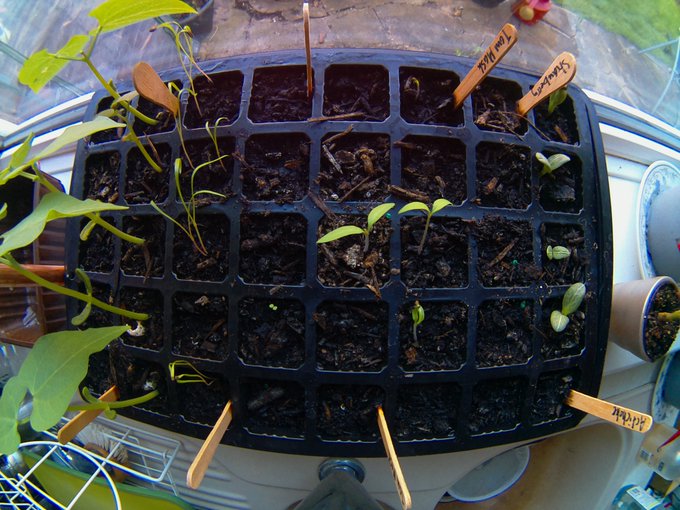
A capture from phototimer of my seed tray with a wide-angle camera positioned above
New Live stream - 27th April 16:30 BST
Got started already, or just want to learn more? Tune into the live stream Grow your own with Raspberry Pi - Alex Ellis & Richard Gee
How it works
- Read the launch blog post: Join the Grow Lab Challenge.
- Order your kit, or decide you're taking part by sending a PR and adding yourself to the "growlab Technicians" section below.
- Build your own
#growlabusing one of the designs, or customise it. And start growing and recording a timelapse. - Use the #growlab hashtag and share as many pictures as you like.
- Send a Pull Request and link to each Tweet to unlock each level.
- At the conclusion of the growing period, we'll send some prizes from OpenFaaS Ltd and Pimoroni to entries at random for different tiers.
Prizes to be provided by: OpenFaaS Ltd and Pimoroni. Want to sponsor or provide prizes? Send an email to [email protected]
Unlock each level
Bronze - assemble your #growlab using one of the recommend designs or customise it. Tweet a photo of your build.
Silver - install the software and capture your first photo of your seeds in the soil. Tweet it using the seeds2 software, or copy the file to your computer and Tweet it from there.
Gold - Wait until at least one of your seeds has germinated, and Tweet a second photo.
Platinum - use the phototimer or seeds2 software to capture images over a week. Compile the images into a timelapse and upload it to YouTube. We recommend one photo every 10 minutes. Tweet a link to the video.
Making your timelapse
If you're using phototimer, then you can run the following:
echo $(echo $(find ./Desktop/image/ | sort -V|grep jpg)) | xargs cat | ffmpeg -framerate 10 -f image2pipe -vcodec mjpeg -i - -vcodec libx264 out.mp4
iMovie is also relatively easy to use, by dragging the images into the timeline and changing the time between images to ~ 0.1s
Here's a sample from 9th-22nd April you can watch on YouTube:
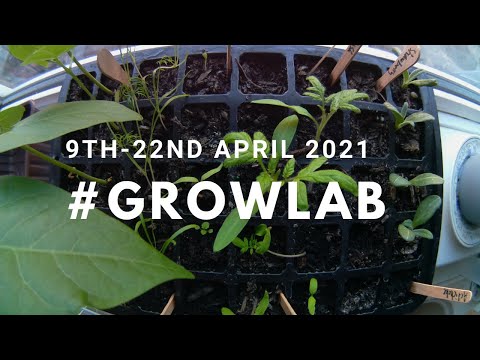
Click here to watch my video timelapse
Extra points and taking things further
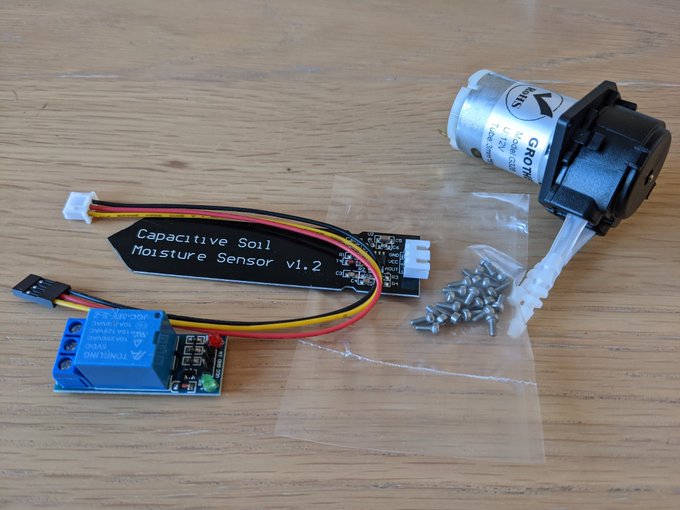
A self-watering system
- Overlay temperature and humidity data with an BME280 sensor
- Add a self-watering system with a small pump and capacitive soil sensor
- Try a garden RGB grow-light to give your seeds a little more help
- Experiment with hydroponics
- Install your lab in an outdoor greenhouse, shed or cold-frame
- Use a light sensor / LDR or UV sensor measure available light
- Try a suitable solar panel and battery capacity to run your experiment outdoors or in a room without a socket
Growlab Technicians
Technicians work in laboratories, and you are no different, so if you've bought your kit, or have decided to join, then add your details below so that we can encourage each other and see how many people are participating. If you don't have a Twitter or GitHub handle just put N/a.
| Name | GitHub | Live preview URL | |
|---|---|---|---|
| Alex Ellis | @alexellisuk | alexellis | Live preview with the growlab app |
| Simon Emms | @MrSimonEmms | MrSimonEmms | Images captured by phototimer |
| Richard Gee | @rgee0 | rgee0 | Most recently captured image |
| Jakob Waibel | @jakobwaibel | JakWai01 | |
| Florian Clanet | @FlolightC | Flolight | |
| Felix Pojtinger | @pojntfx | pojntfx | |
| Sam Perrin | @sam_perrin | sam-perrin | |
| Philippe Charrière | @k33g_org | k33g | |
| John McCabe | @mccabejohn | johnmccabe | |
| Adam Craggs | @abigpancake | agcraggs | |
| Martin Woodward | @martinwoodward | martinwoodward |
Live preview URLs
A live preview URL keeps things interesting and lets the community get a view inside your lab.
See the new growlab app for your Raspberry Pi
Contest entries #growlab
🥇
🥈
🥉
| Name | Bronze | Silver | Gold | Platinum |
|---|---|---|---|---|
| Alex Ellis | Bronze | Silver | Gold | Platinum |
| Richard Gee | Bronze | Silver | Gold | Platinum |
| Simon Emms | Bronze | Silver | ||
| Florian Clanet | Bronze | Silver | ||
| Philippe Charrière | ||||
| John McCabe | Bronze | |||
| Adam Craggs |
Official growlab software
- growlab app for creating a live-preview via GitHub Pages
- bme280-logger for data-logging to InfluxDB, and for showing the time-series on a Grafana dashboard
- phototimer for capturing photos from the RPi camera for a timelapse: alexellis/phototimer
Community projects and add-ons
- Richard Gee's seeds2 repo for tweeting and capturing images: rgee0/seeds2
- Sam Perrin's seed-viewer for viewing the images captured with phototimer sam-perrin/seed-viewer

 29 Dec 27, 2022
 3 Oct 01, 2021
 28 Nov 07, 2022
 33 Dec 28, 2022
 12 Dec 27, 2022
 17 Sep 07, 2022
 104 Dec 14, 2022
 645 Dec 25, 2022
 15 Dec 28, 2022
 29 Dec 01, 2022
 12 Nov 19, 2022
 78 Sep 20, 2022
 10 Oct 06, 2022
 32 Jul 02, 2022
 1 Dec 18, 2021
 1 Jan 04, 2022
 6.7k Jan 07, 2023
 2 Oct 20, 2021
 6 Nov 13, 2021
 24 Jul 23, 2022